8
HI-HAT STAND
1
2
4
8
9
11
13
15
3
4
5
6
7
10
12
14
Small felt
Clutch nut
1
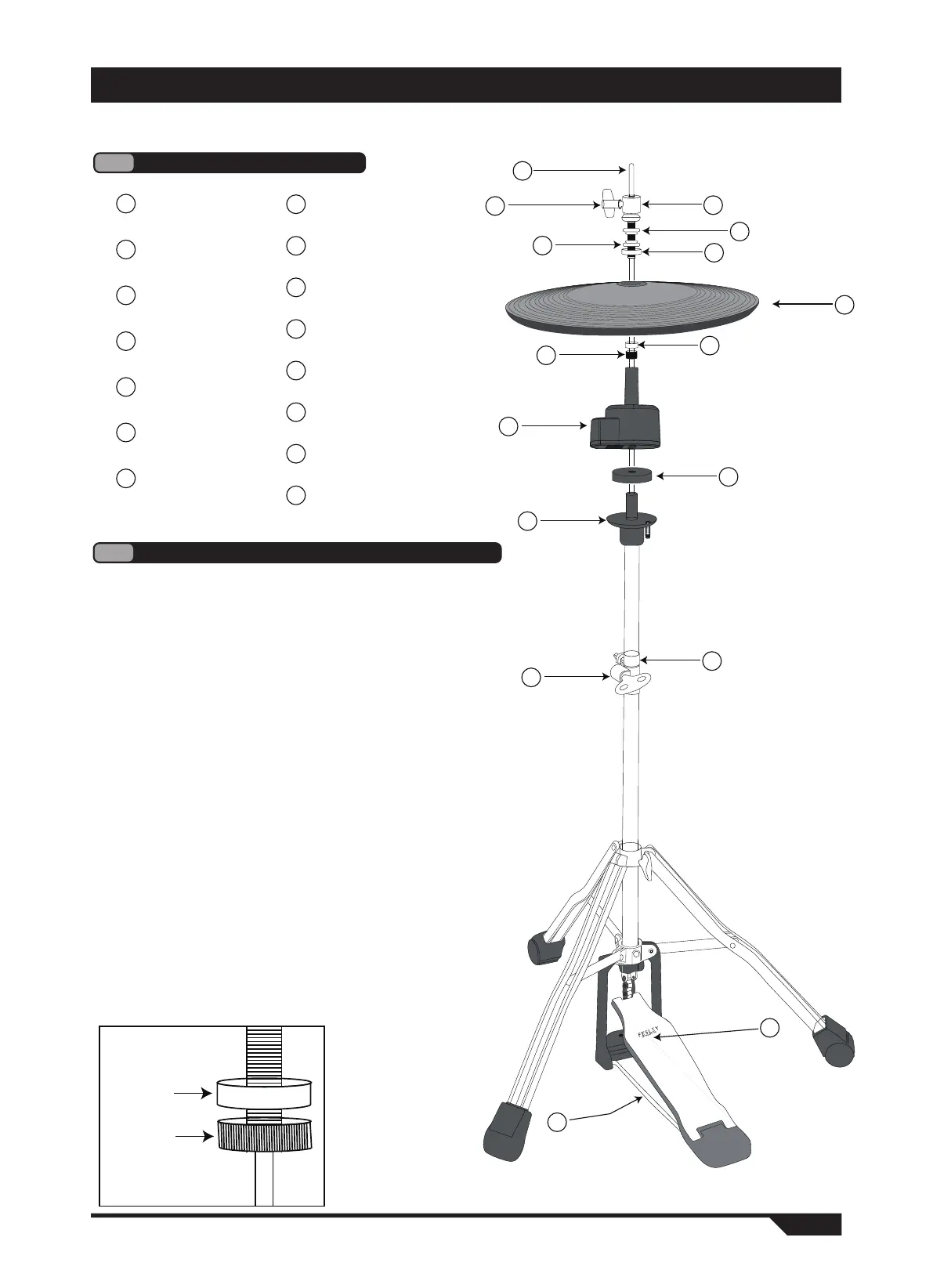
Hi-hat parts introduction
Hi-hat arm
1
Wing screw
2
Clutch bolt
3
Lock nut
4
Large felt
5
Hi-Hat
6
Small felt
7
Clutch nut
8
Hi-hat controller
9
Cymbal support base felt
10
Cymbal support base
11
Locating clip
12
13
Regulating screw
14
Pedal
15
U-shaped support arm
Cymbal support base
When installing the bottom step, the step clutch assembly should be removed and
the step controller should be placed on the felt ring of the step support base.
Locating clip
Once the height of the bottom cymbal is determined, the positioning
clip can be used to mark the setting position for future installation and
setting, and prevent unexpected changes during music performance.
Tighten the locating clip in place with the drum key.
2
Detailed introduction of important parts
Pedal clutch
When installing the top step, loosen the wing screw and remove the
entire step clutch assembly from the step lever. then remove the
clutch nut and place the cymbal between the two clutch felt.
After installation, tighten the clutch nut onto the clutch assembly to fix
the cymbal. (Note: the bottom of the clutch nut and the bottom of the
clutch bolt are on the same horizontal plane, and cannot exceed the
clutch bolt, as shown in the figure below) Place the entire assembly
on the step lever, and tighten the wing screw to fix the required top
scale position.


 To Next Page