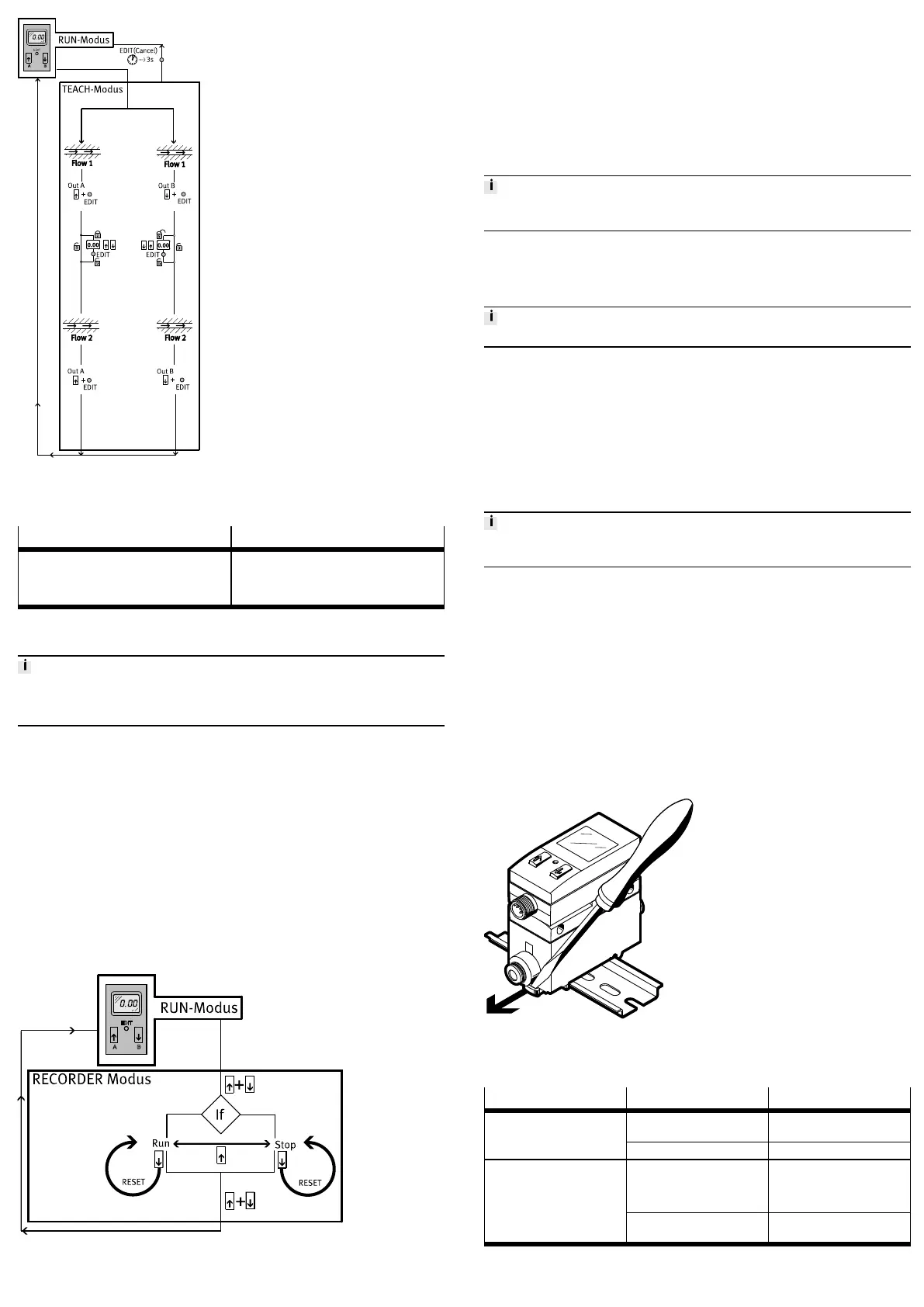
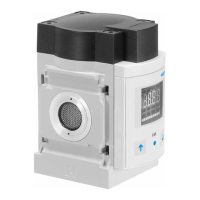
Fig. 9 Menu structure for TEACH mode
• Before teaching in EDIT mode, select the desired switching function
(threshold value or window comparator) è 9.7 EDIT mode.
Threshold value comparator Window comparator
The (taught) switching point is derived from the
average value of both measured values:
– SP = 1/2(Flow 1 + Flow 2)
– Special case: SP = Flow 1 = Flow 2
The taught switching window is derived from the
measured values:
– SP.Lo = Flow 1
– SP.Hi = Flow 2
Tab. 10
9.8.1 Teaching switching variables
The process for teaching the switching outputs for OutA (A pushbutton) and OutB
(B pushbutton) is the same. In the following, the process is described using the
switching output OutA.
1. Generate flow rate (Flow 1).
2. Press the A pushbutton and the EDIT button simultaneously.
Ä
The measured value is taken over as the first teach point. [OutA] and the
bar graph will flash.
In case of active security blocking, [Lock] flashes. Set the security code
with the A pushbutton or B pushbutton. To accept the measured value,
press the Edit button.
3. Generate flow rate (Flow 2).
4. Press the A pushbutton and the EDIT button simultaneously.
Ä
The measured value is taken over as the second teach point. The switch
ing point (SP) or switching points (SP.Lo and SP.Hi) become valid. The
SFAB is in RUN mode.
9.9 RECORDER mode
In the RECORDER mode, a manual accumulated air consumption measurement
can be performed.
Fig. 10 Menu structure RECORDER mode
1. Press the A pushbutton and B pushbutton simultaneously.
Ä
The SFAB is in RECORDER mode. The status of the air consumption meas
urement [Run] or [Stop] is displayed.
2. When [Stop] is displayed, press the A pushbutton.
Ä
[Run] and a running light are displayed. The air consumption measure
ment has started.
3. Press the A pushbutton.
Ä
[Stop] is displayed. The air consumption measurement is stopped.
4. Press the A and B pushbuttons.
Ä
The SFAB is in RUN mode.
If the RECORDER mode is left during the consumption measurement, the con
sumption measurement is continued in the background.
9.9.1 Resetting the measured values to zero
• To reset a measure value to zero, press the B pushbutton in RECORDER mode.
10 Operation and use
Changes to the device settings take effect immediately at the outputs.
The air mass flow displayed by the SFAB refers to the standard condition set in
the special menu under Options.
When comparing volumetric flow rates:
– Make sure that the volumetric flow rates to be compared (e.g. operating volu
metric flow rate, amount supplied by a compressor, measured values of a
flow sensor from another manufacturer) refer to the same standard condi
tions.
– After the supply voltage is switched on, the SFAB needs a warmup time of 5
minutes until it achieves the specified accuracy.
10.1 Resetting SFAB to factory settings
By resetting to the factory settings, the current settings are lost. If required, make
a note of these settings before resetting.
1. Switch off operating voltage.
2. Press and hold the A pushbutton, B pushbutton and Edit button.
3. Switch on the operating voltage.
Ä
The SFAB is in RUN mode.
11 Service
1. Turn off energy source and compressed air.
2. Clean sensor with nonabrasive cleaning agents.
12 Disassembly
1. Turn off energy source and compressed air.
2. Separate connections from the sensor.
3. For panel mounting: Loosen retaining screws.
For Hrail or wall mounting: loosen the fixing slide è Fig.11
Fig. 11 Disassembly
13 Fault clearance
Fault description Cause Remedy
SFAB operated with nonpermit
ted medium
Operate SFAB only with permit
ted media.
Incorrect measured value indic
ator
SFAB dirty Replace device.
Measurement outside permit
ted measuring range
Maintain permitted measuring
range è 15 Technical data.
Accuracy refers only to the per
mitted measuring range.
In case of flow rate measure
ment: measured value is flash
ing
Incorrect direction of flow Correct the tubing
è 8.1 Pneumatic installation.



 To Next Page