15
INSTALLATION - MOUNTING THE ON-WALL PART
Mounting the on-wall part
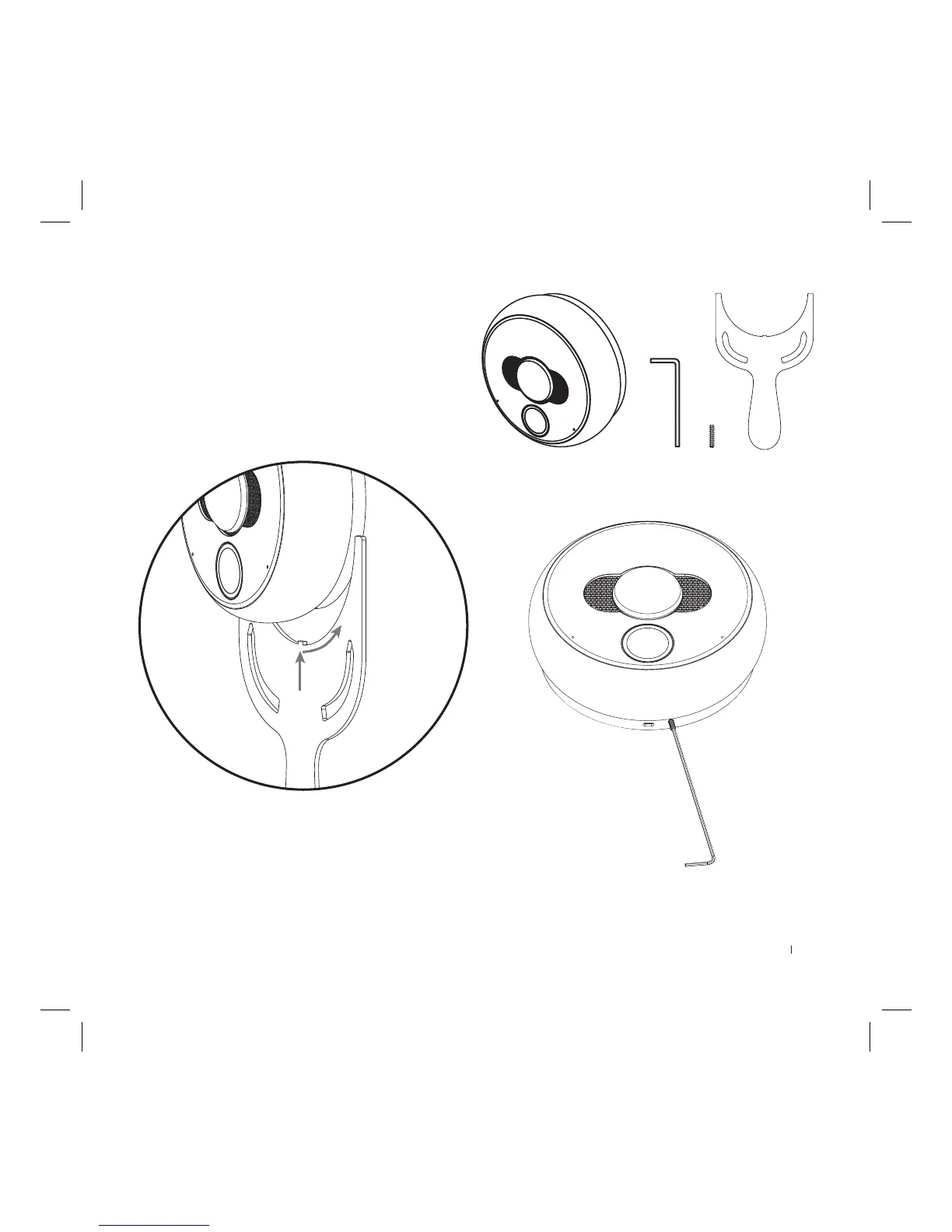
To mount the on-wall part:
1) Install the masking cap and tighten it with a screw.
2) At this moment you can install a SD card (see “SD Card” on page
16 for more information).
3) Insert the on-wall part (metal at plate should be on the left) and
align it without using excessive force.
4) While holding the on-wall part, turn the inner black ring coun-
ter-clockwise using the included tightening tool until you feel
resistance.
5) Using the included hex key, tighten the small hex screw until it
ushes with the black ring (look at the picture on the right). Be
careful not to cause its deformation.
6) The device is ready to work. You can turn on the mains power and
move to device conguration guide.



 To Next Page