1716
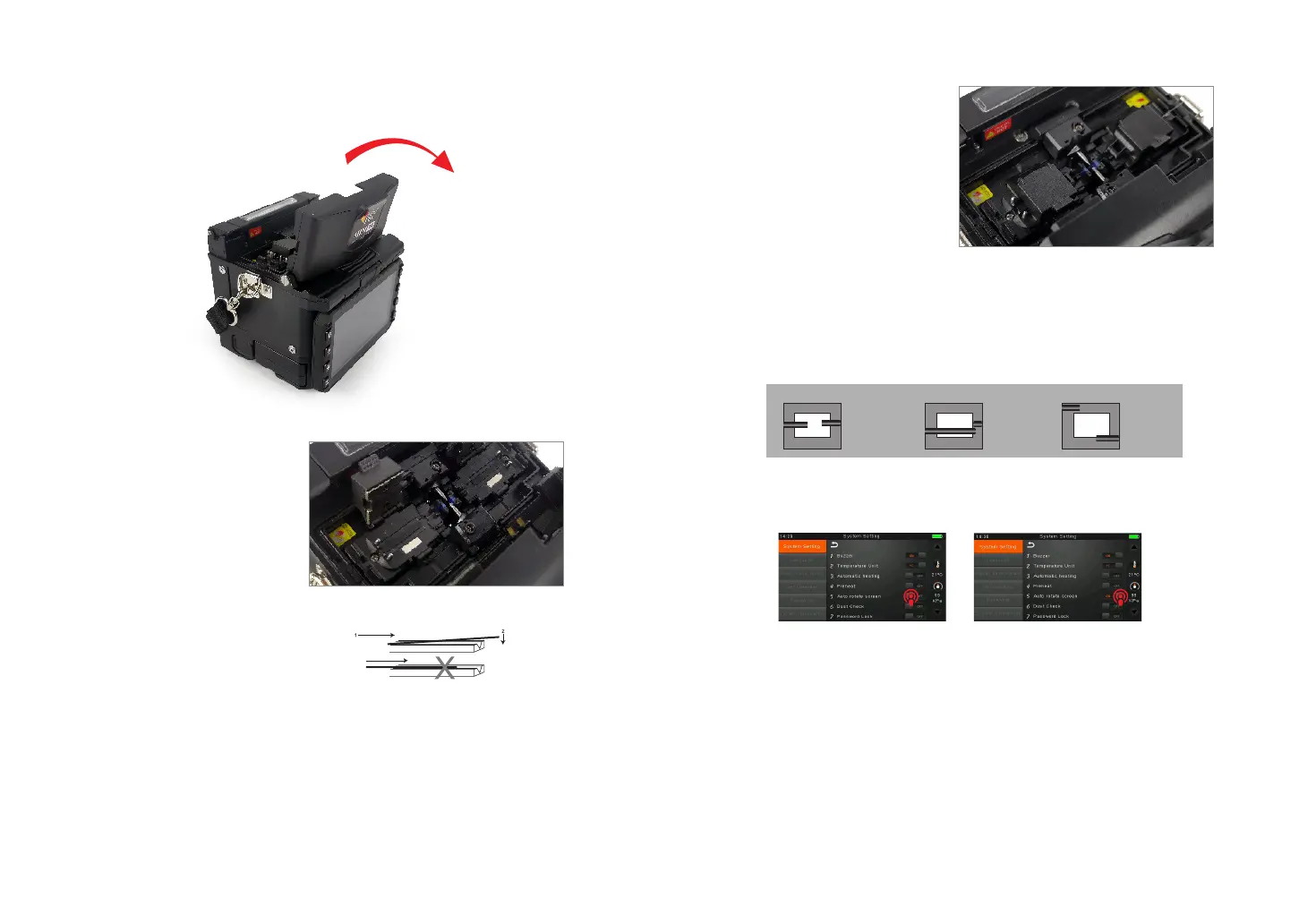
② Open the ber holder. Position
the bers into V-grooves. Make
sure the ber ends are between
the V-groove edges and the
electrode tip.
Note: Make sure to avoid sliding the
bers along V-grooves, but rather
position them over V-grooves and tilt
them down into place (as shown in the
picture).
③ Close the ber holder.
④ Close the wind proof cover
3.8 Inspecting the Fibers
① Before continuing with splicing, inspect the bers whether they are clean and
well-cleaved.
3.7 How to Make a Splice
① Open the safety shield.
a.
b.
c.
imaging area
ber ends visible
on the monitor
Fiber ends outside
monitor
Fiber ends
above and
below monitor,
not possible
to nd
automatically.
imaging area
imaging area
② To change between Front View and Back View, adjust Monitor position.



 To Next Page