1110
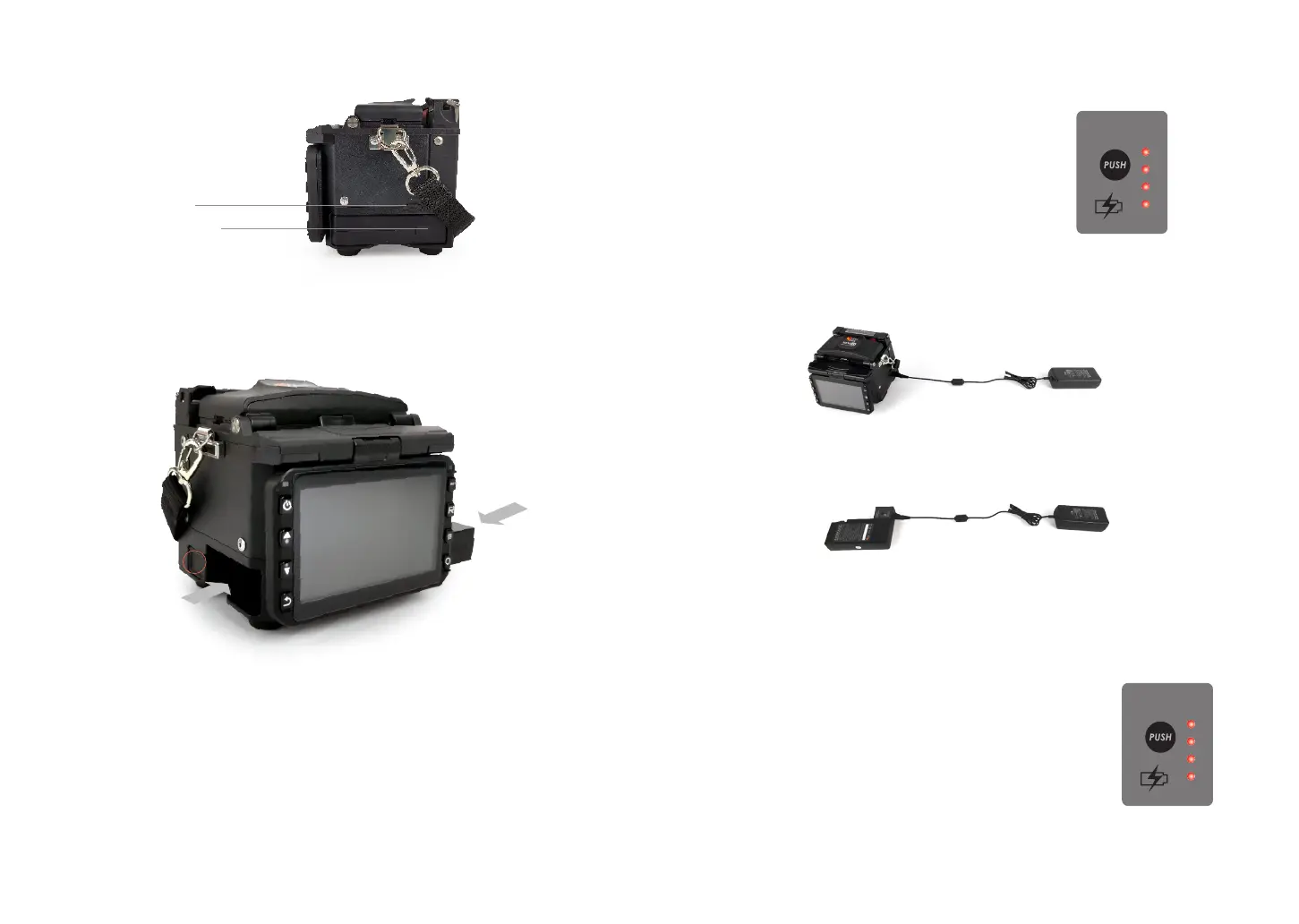
Port of battery charge
MINI USB 2.0 Port
2.7 Power Supply Method
2.8 Charging Process
Following is the way of installing a battery.
Take out the battery
Insert the battery
Shut o fusion splicer.
Press on release button
at lateral, drawing power
supply unit out of the
fusion splicer.
Insert the battery into
the power unit dock until
it clicks into place.
The battery indicator will be illuminated one by one
along with increasing electric quality until battery is
fully charged upto 100%.
2.9 Charging Methods
When battery is connected with fusion splicer, charging method is as follows:
When battery is separated from fusion splicer, charging method is as follows:
Note: Try your best not to charge battery when the battery is working for the
running fusion splicer which is splicing or heating bers for fear of shortening the
battery’s life.
2.10 Battery Status
There are 2 ways for viewing battery level.
① If the battery is connected to the slicer, then its level will be
displayed on the upper right side of the screen.
② Battery level is indicated by Battery LED indicator. As shown
below:
BATTERY
INDICATOR
BATTERY
INDICATOR



 To Next Page