19
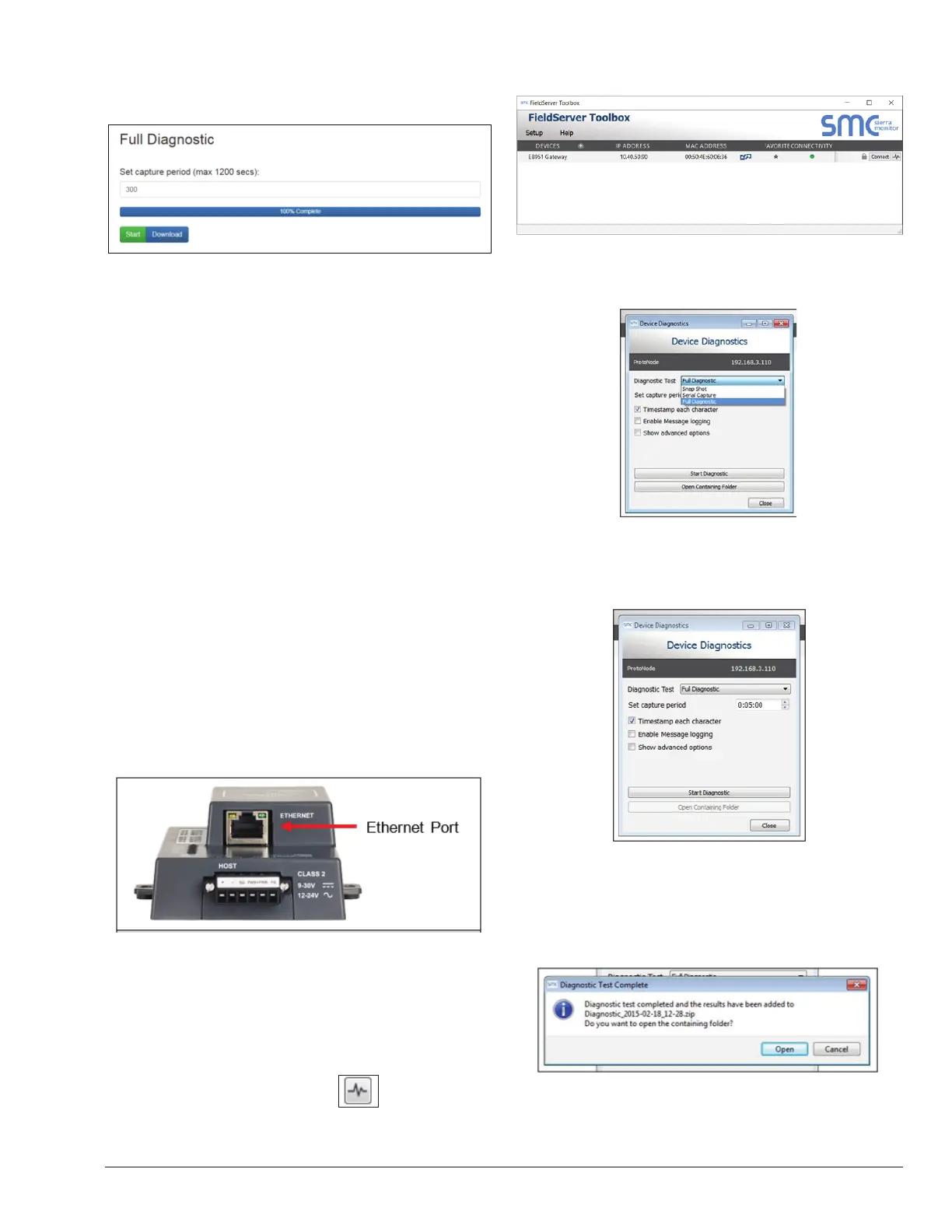
o When the capture period is nished, a Download
button will appear next to the Start button.
Figure 23. Capture Download Button
• Click Download for the capture to be downloaded to
the local PC.
• Email the diagnostic zip file to technical support.
NOTE: Diagnostic captures of BACnet MS/TP
communication are output in a “.PCAP” le extension
which is compatible with Wireshark.
Taking a Capture with
Older Firmware
If the FieldServer rmware is from before November 2017,
the Diagnostic Capture can be done by downloading the
FieldServer Toolbox software but network connections
(such as Ethernet and Wi-Fi) cannot be captured (if a
network diagnostic is needed take a Wire Shark capture).
NOTE: Once the Diagnostic Capture is complete,
email it to technical support. The Diagnostic Capture
will accelerate diagnosis of the problem.
• Ensure that FieldServer Toolbox is loaded onto
the local PC. Otherwise, download the FieldServer
Toolbox.zip via the MSA Safety website.
• Extract the executable file and complete the
installation.
Figure 24. Ethernet Port Location
• Connect a standard Cat-5 Ethernet cable between
the PC and ProtoNode.
• Double click on the FS Toolbox Utility.
• Step 1: Take a Log.
• Click on the diagnose icon for the desired
device.
Figure 25. Device Options Screen
o Select “Full Diagnostic" from the drop down menu.
NOTE: If desired, the default capture period can be
changed.
o Click on the Start Diagnostic button.
o Wait for the capture period to nish and the
Diagnostic Test Complete window will appear.
• Step 2: Send Log.
o Once the diagnostic test is complete, a .zip le
is saved on the PC.
o Choose “Open” to launch explorer and have it
point directly at the correct folder.
o Send the Diagnostic zip le to technical support.
APPROVED
UNCONTROLLED DOCUMENT IF PRINTED



 To Next Page