19
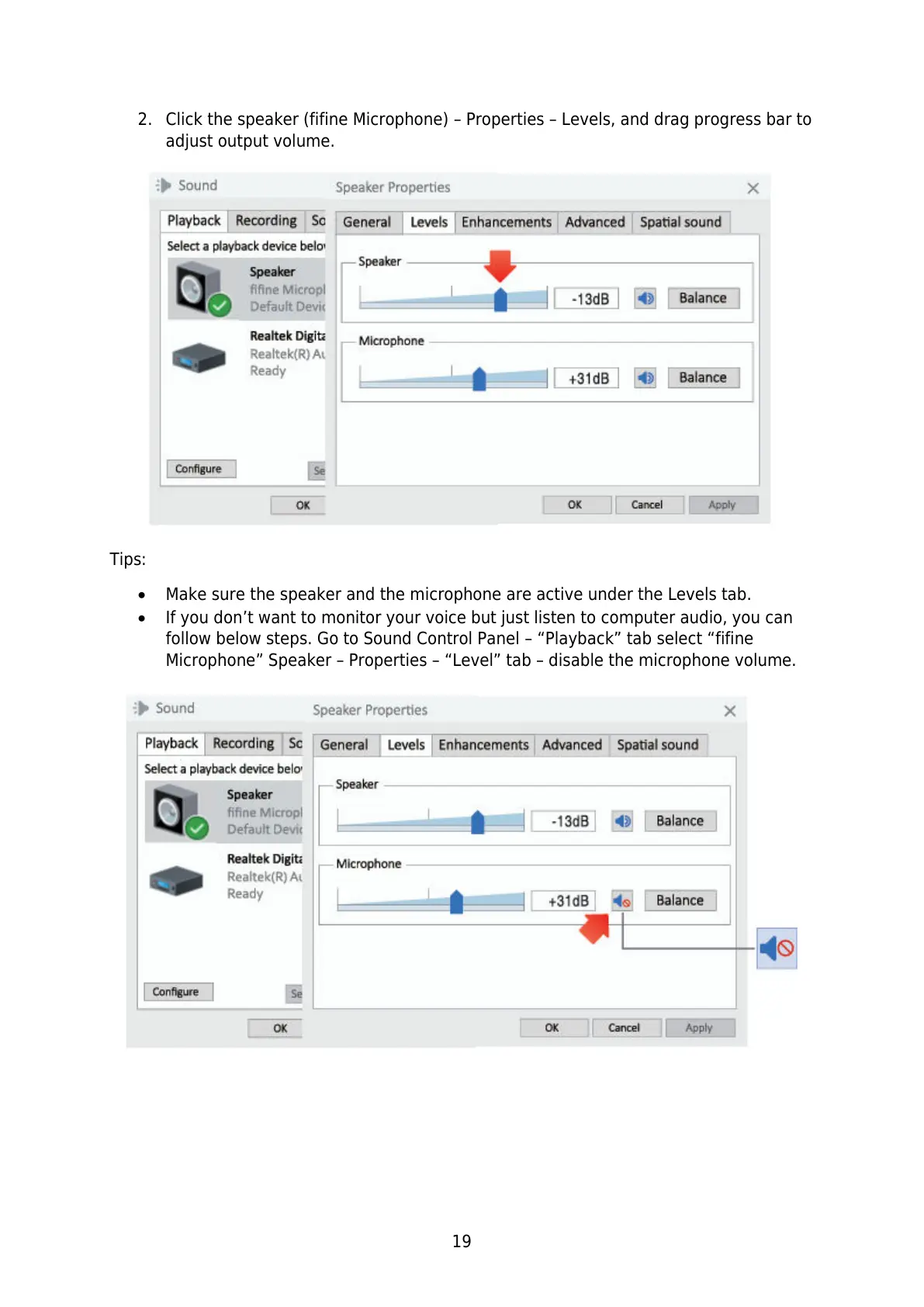
2. Click the speaker (fifine Microphone) – Properties – Levels, and drag progress bar to
adjust output volume.
Tips:
Make sure the speaker and the microphone are active under the Levels tab.
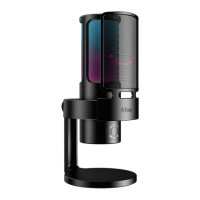
If you don’t want to monitor your voice but just listen to computer audio, you can
follow below steps. Go to Sound Control Panel – “Playback” tab select “fifine
Microphone” Speaker – Properties – “Level” tab – disable the microphone volume.


 To Next Page