9
QUICK START INSTRUCTIONS:
AUTHENTICATION, CALIBRATION & AIRFLOW SETTING
SAFETY
! Before connecting the device to a power source, ensure that the main power
switch in the rear of the device is in the off position “0”.
! Avoid plugging or unplugging the unit while it is powered ON ( “I” ).
AUTHENTICATION
! Device will not work until AUTHENTICATION has been performed. Filtrabox is
shipped in LOCKED mode by default.
To ensure that you have received a NEW and AUTHENTIC Filtrabox product, the device requires an
AUTHENTICATION CODE to UNLOCK its functions.
1. Acquire your AUTHENTICATION CODE by visiting www.filtrabox.com, or if you do not have
access to the internet by, calling 514.840.9696 ext. 102
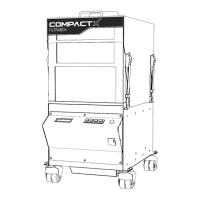
2. Turn your Filtrabox ON using the main power switch located on the front of the device.
Filtrabox will request an UNLOCK code which is also known as the AUTHENTICATION CODE.
3. Once you have your AUTHENTICATION CODE, enter it into the Filtrabox via the buttons on
the User Interface on the front of the device to unlock it.
4. EXAMPLE: If your activation code is 123, enter 000123 into the system. (This is only an
example. 123 is not necessarily your activation code.)
5. Select the active digit by using the “left” and “right” arrows (indicated by the blinking
cursor).
6. Change the digit’s value with “up and down” arrows and move onto the next digit, by
pressing the “right” arrow.
7. Once you have entered your AUTHENTICATION CODE, press the “OK” button, which is
located to the left of the display to confirm your entry.
8. The screen will prompt you to “PRESS OK TO CALIBRATE” but DO NOT PRESS ANY BUTTONS
until you have read the CALIBRATION section on the next page.


 To Next Page