14
“FILTER CHECK” FEATURE
! Useful Tip: Check for obstructions in the hose before ordering a new filter. An
obstruction in the hose may cause an erroneous “CHECK FILTER” WARNINGS.
! The Pre-Filter captures the majority of dust generated by the laser. Therefore,
it is the most frequently replaced dust filter in the system.
! Replacement filters can be purchased from your dealer or: info@filtrabox.com
or call 514.840.9696 ext. 102
1. If the “CHECK FILTER” warning comes on, go to the User Interface and press the “Menu”
button. Press the “left or right arrow” button to scroll through the menu functions until you
find the “CHECK FILTER” feature.
2. Press the “OK” button to initiate the “CHECK FILTER” process.
3. Filtrabox will assess the status of all the Dust Filters in your systems and then prompt you to
remove the Pre-Filter. Follow the instructions on the screen.
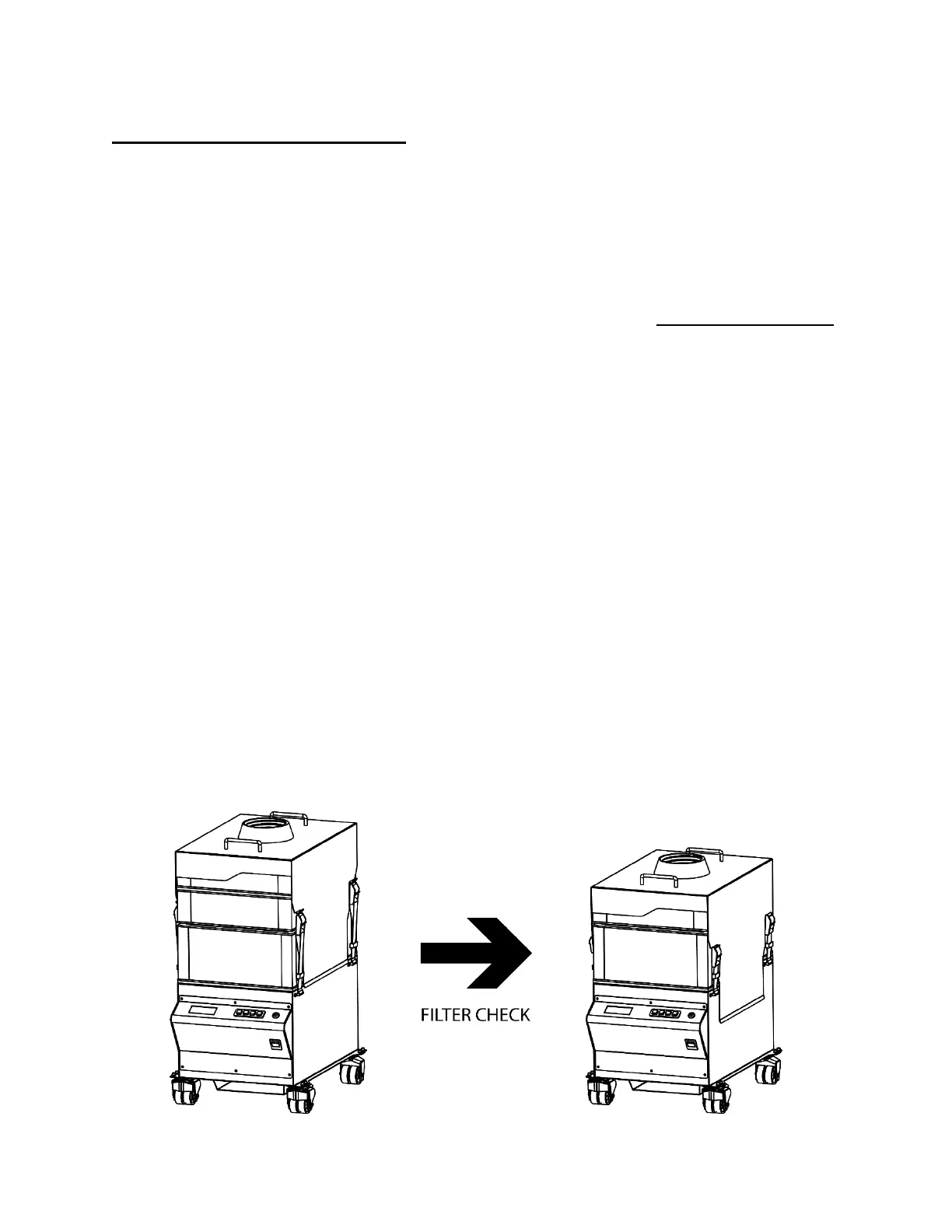
4. To remove the Pre-Filter first loosen all four Strap Clamps on the Lid, then unhook the Strap
Clamps and pull the lid straight up by the two Handles.
5. Remove the topmost Filter Alignment Ring and the Pre-Filter and set them aside, then put
the Lid back onto the HEPA Filter as in the image below. Hook the Strap Clamps back onto
to the Lid and ensure that they are tight.
6. Follow the prompt on screen and press the Enter Button to continue.
7. Filtrabox will then advise you to replace either the HEPA or the Pre-Filter depending on
their actual conditions. Or, the system will advise you to consider upgrading to a more
powerful model if the Airflow% setting is too high, which would cause the filters to be
inefficiently used (causing frequent filter changes).
8. When the filter check is complete, replace the Pre-Filter and the topmost Filter Alignment
Ring making sure that the Strap Clamps are tightened.


 To Next Page