EasyManua.ls Logo

FineTek EPD30 - 1 Functions of the Display Interface; Button Functions in Parameter Setting Status; Procedure for Menu Setting; Parameter Functions

FineTek EPD30
77 pages
Print Icon
To Next Page IconTo Next Page
To Previous Page IconTo Previous Page
Loading...
21
14. Parameter Functions
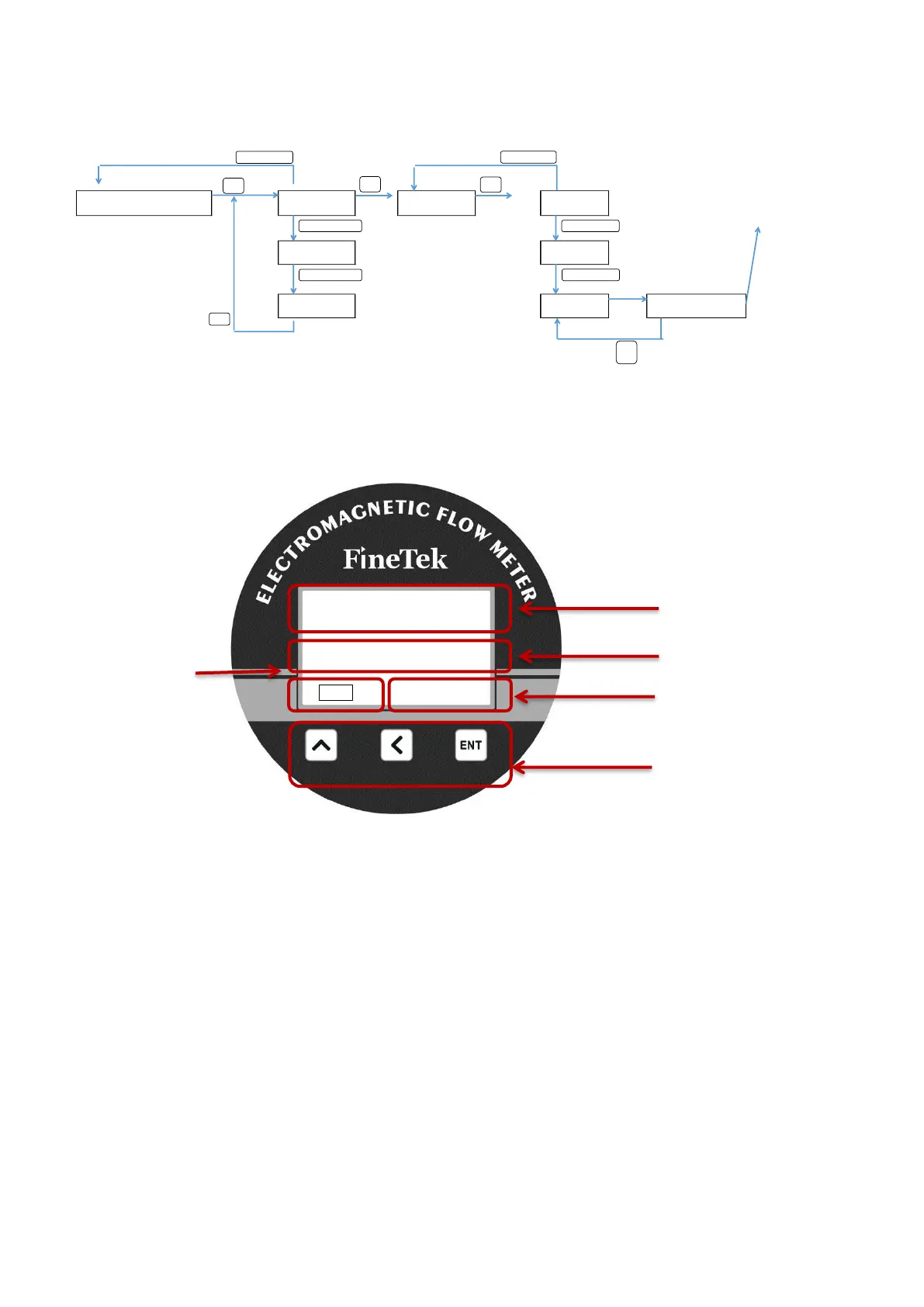
14.1 Procedure for Menu Setting
Measurement screen
Main menu 1 Sub menu 1
Parameter
1
Main menu 2
Parameter
2
Main menu 3
Parameter
3
Parameter editing
3 seconds
ENT
ENT
ENT
EN
T
14.1.1Functions of the Display Interface
14.1.2 Button Functions in Parameter Setting Status:
Button
Number edit mode
ENT
Confirm (Holding)
Move “Left
Number: “Up”
ENT+
Cancel
Instantaneous flow rate
Volume accumulation
Operation buttons
Pressure in Tube
0.0000
m
3
/h
+1274205.8 Liter
L H
00.00 Bar
Percentage of
measuring
range

Table of Contents