Normal Mode
22
411UD Document #50759 Rev. E 12/09/2008 P/N 50759:E
The 411UD can be switched from Normal Mode to any other Mode, provided no channel programmed for fire alarm
or fire supervisory is active, that is, in alarm (shorted). The PRO-411 DACT Programmer, for use with the
Fire•Watch 411 Series, must be connected to the 411UD in order to change from mode to mode.
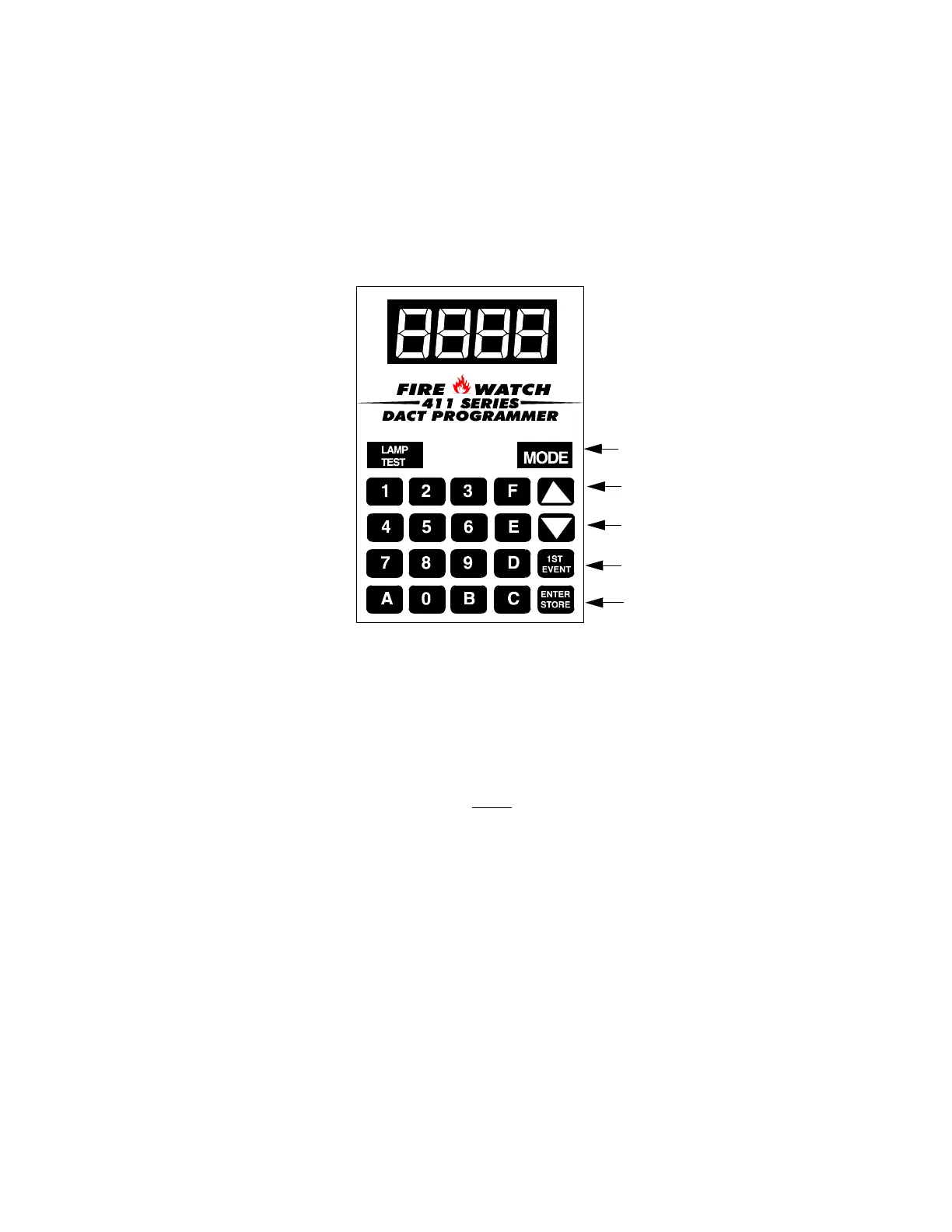
3.1.1 Programmer Key Functions
MODE KEY
Pressing the MODE key followed by a valid 4-digit numerical code and the [ENTER/STORE] key selects one of
the five modes of operation. To enter Normal Mode from any other mode, press the MODE key followed by
6676 and then [ENTER/STORE].
6676 spells NORM on a Touch-Tone
®
phone.
If an incorrect key is entered, reenter the proper 4-digit code before
pressing the [ENTER/STORE] key. Note that as
information is entered into the 411UD, the digits will scroll across the Programmer display from right to left.
___6
__66
_667
6676
A pause of up to 10 seconds between each number is allowed while entering the code.
LAMP TEST KEY
Pressing the Lamp Test key on the Programmer, while the digital communicator is in Normal Mode, will cause the
front panel LEDs and all segments of the four 7-segment display on the 411UD to light. Lamp Test works only in
Normal Mode. Note that LEDs located on the circuit board (Phone Line active and Modem LEDs) will not light.
FIGURE 3-1:Programmer Keypad
Select operating mode
Increment memory address
Decrement memory address
One press = first memory address
Two presses = type any address
Save data, go to next address
Address entry keys are 0 to 9
Data entry keys are 0 to 9 and A to F
pr411key.cdr


 To Next Page