EasyManua.ls Logo

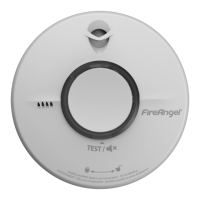
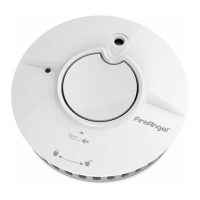
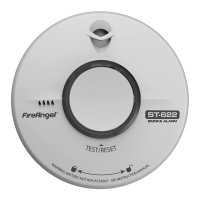
FireAngel ST-750 - User Manual

FireAngel ST-750
16 pages
Print Icon
To Next Page IconTo Next Page
Loading...
Drawing No: GN4681
Revision: 1
Drawn By:
Hannah Brannon
Sprue Safety Products Ltd. Artwork Information
Ensure that you are printing / manufacturing from the original artwork file and not a preview
CONFIDENTIAL: The information provided in this document is proprietary to Sprue Aegis Plc/FireAngel Ltd and as
such should only be used/shared for the exclusive manufacture of those products specified.
Title/Description:
User Manual
Material:
60GSM Wood Free Paper
Used On / Used For:
ST-750
Size:
W - 121mm / H - 129mm
Supplier:
CICAM
Print Colours:
100% Black
USER MANUAL
APPROVALS
Content Quality
Hannah Brannon
Product Info
Dan Bacon
Certification
Ian Ballinger
Design
Simon McMahon
10 YEAR LIFE SMOKE ALARM

Questions and Answers

  • L
    Linda WilsonJul 29, 2025
    What to do if my FireAngel ST-750 activates when no smoke is visible?
    • D
      Dawn VegaJul 29, 2025
      If your FireAngel Smoke Alarm is activating when no smoke is visible, check its location. Also, clean the smoke alarm to ensure it is free of dust or other particles.
  • C
    Colton LynchAug 6, 2025
    What to do if my FireAngel ST-750 Smoke Alarm does not sound during testing?
    • F
      fosterashleyAug 6, 2025
      If your FireAngel Smoke Alarm doesn't sound during testing: * Ensure the alarm is fully rotated clockwise and securely attached to the base plate to activate the power pack. If you've just activated it, wait a few seconds before testing. * Press the center of the test button firmly. * If the unit was silenced and is in low sensitivity mode, wait 15 minutes and try again. * If the alarm was recently fitted and still fails the self-test, contact technical support.
  • H
    hansenchristopherAug 12, 2025
    What to do if I experience frequent unwanted alarms from my FireAngel ST-750?
    • J
      Jose MooreAug 12, 2025
      If you are experiencing frequent unwanted alarms from your FireAngel Smoke Alarm, check its location. Clean the smoke alarm. If the issue persists, contact technical support for further assistance.
  • T
    Tammy SotoAug 20, 2025
    What to do if the low battery warning silence chirp does not silence when the test button is pressed on my FireAngel Smoke Alarm?
    • S
      Sean RobinsonAug 21, 2025
      If the low battery warning silence chirp on your FireAngel Smoke Alarm doesn't stop when you press the test button: * Note that you can only silence the low battery warning chirp a maximum of 10 times. Replace the smoke alarm immediately. * If the red LED flashes at a different time than the chirp, this indicates a fault. * If the alarm is within its warranty period, contact Technical Support. Otherwise, replace it immediately.

Summary

Automatic Power Engage

Positioning

How to Install Your Smoke Alarm

Preparation

Prepare the base plate attachment to the ceiling or wall, breaking out tabs and marking drill holes.

Install Base Plate

Fit the base plate to the ceiling or wall using the provided screws, ensuring correct alignment.

Fit Your FireAngel Smoke Alarm

Attach the alarm to the base plate by aligning lugs and twisting clockwise until fully secured.

Test Your Smoke Alarm

Test the smoke alarm by pressing the central button after installation and allowing it to settle.

Operation

Alarm Smart Silence

Maintenance

Troubleshooting

FireAngel ST-750 Specifications

General IconGeneral
Sensor TypeThermoptek Multi-Sensor
Battery TypeSealed for life lithium battery
Alarm Sound Level85 dB at 3 meters
Battery Life10 years
InterconnectivityNo
Hush ModeYes
Weight220 grams
CertificationEN 14604:2005

Related product manuals