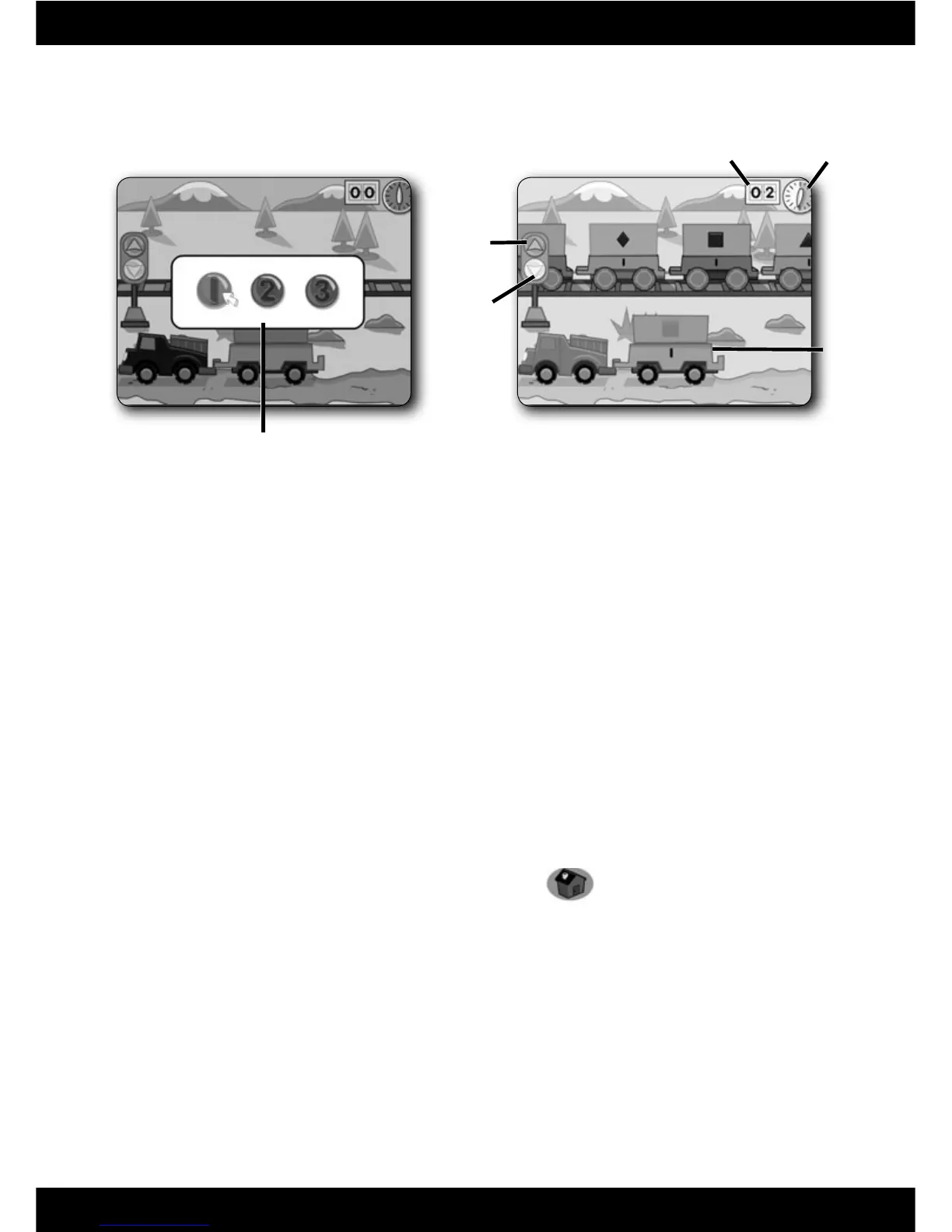
• Choose level 1, 2 or 3. Click on your choice with the pen.
• Help load the truck with the correct number and shape of objects.
Level 1 – Match the shapes on the truck to the shapes on the train.
Click on the matching shape every time it passes until you have enough
to fi ll the truck.
Level 2 – Count the number of shapes you need in the truck and click on
the train car with the same number.
Level 3 – Complete the addition problem and click on the train car with the
correct answer.
• Load as many trucks as you can before time runs out! Click on the green
arrow to make the train go faster, or click on the yellow arrow to slow
it down.
• Check your score to see how many trucks you fi lled.
• When fi nished, press the classroom button
on the
Computer Cool School
™
keyboard to return to the classroom or press
another learning centre button for a different activity.
17
Green
Arrow
Yellow
Arrow
Timer
Score
Truck







 To Next Page