2.6 Setting Vehicle Parameters
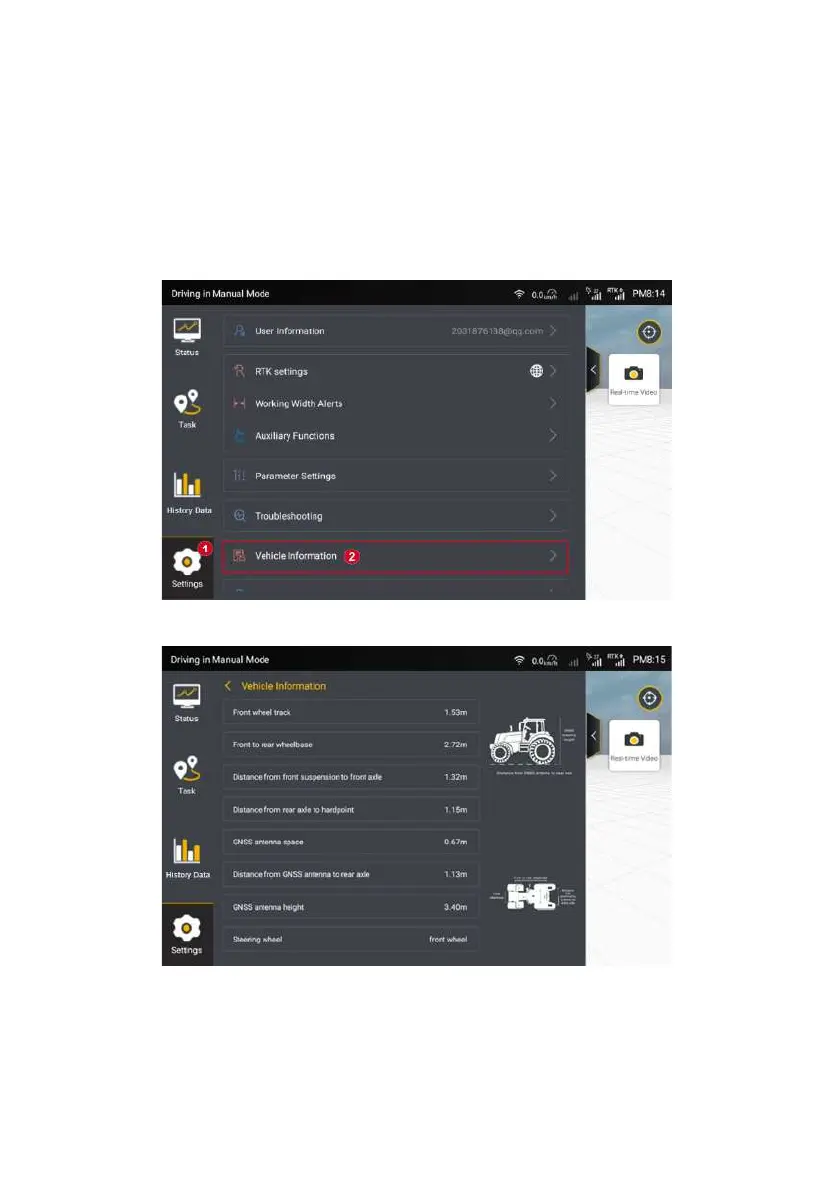
After entering the home screen of the kit, perform the following operations to
set vehicle parameters:
From the sidebar, choose Settings -> Vehicle Information.
Figure 3.2.16 Setting List
Figure 3.2.17 Vehicle information
©FJ Dynamics Technology Co., Ltd. All rights reserved.



 To Next Page