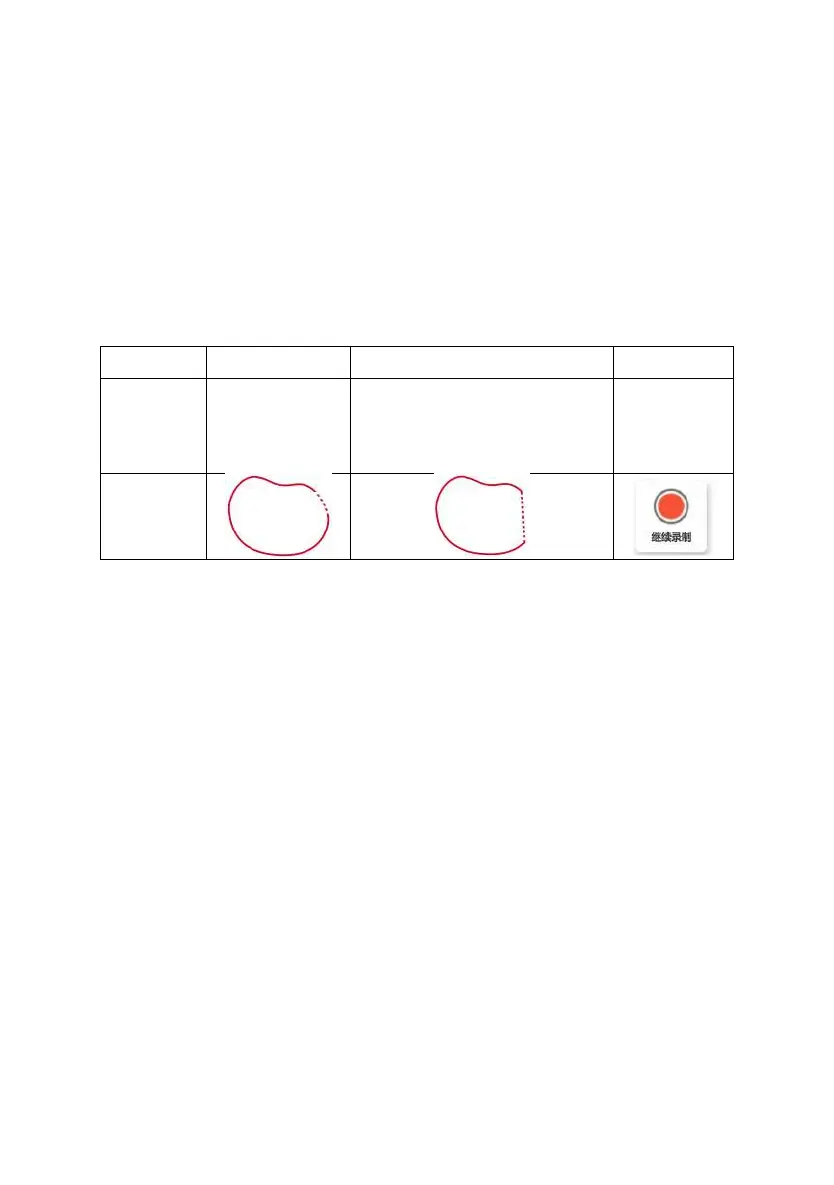
If 10m<distance between the beginning and the end of the boundary <50m,
and user confirms to save the boundary, the system will connect the beginning
and the end of the boundary with a straight line.
If the distance between the beginning and end of the boundary is greater
than 50m, it is impossible to save and should continue to record the boundary.
Table 3.3.1 The processing method for not connecting the beginning and end of boundary
Distance(x) x<10m 10m<x<50m 50m<x
method
Intelligent
completion
boundary
Connect the beginning and end of
the boundary with straight line
Continue
recording
boundary
Diagram
3.2.4 Add and Select Guidance Line
Click guidance line item, add and select the guidance line required by the
operation in the list.
The guidance line configuration interface is shown in the figure below:
©FJ Dynamics Technology Co., Ltd. All rights reserved.



 To Next Page