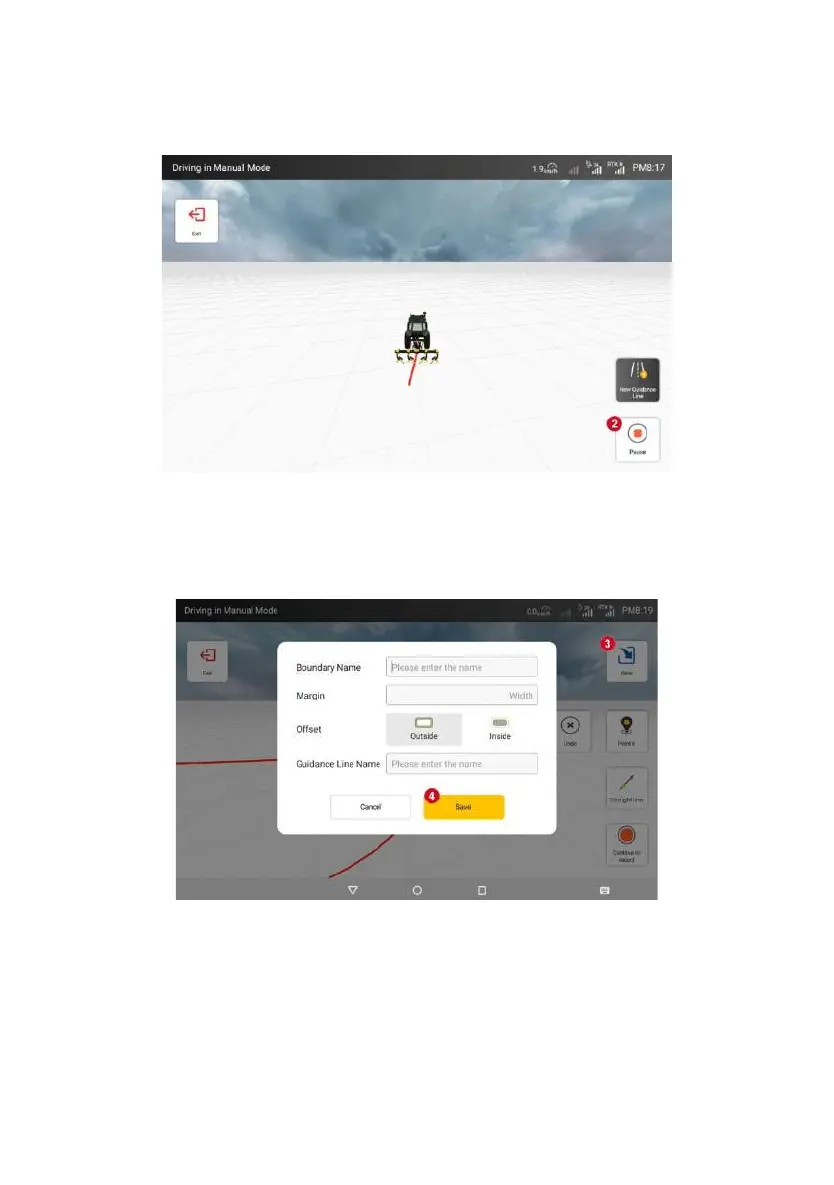
Figure 3.3.25 Interface for completing boundary recording
When saving, it is required to fill in the boundary name, the distance
between the field and the boundary, and the positional relationship between the
field and the boundary, and then save the boundary after filling in.
Figure 3.3.26 Save boundary interface
When the recording is completed and click “save”, if the distance between
the beginning and the end of the boundary is less than 10m, the system will
intelligently complete the remaining boundary;
©FJ Dynamics Technology Co., Ltd. All rights reserved.



 To Next Page