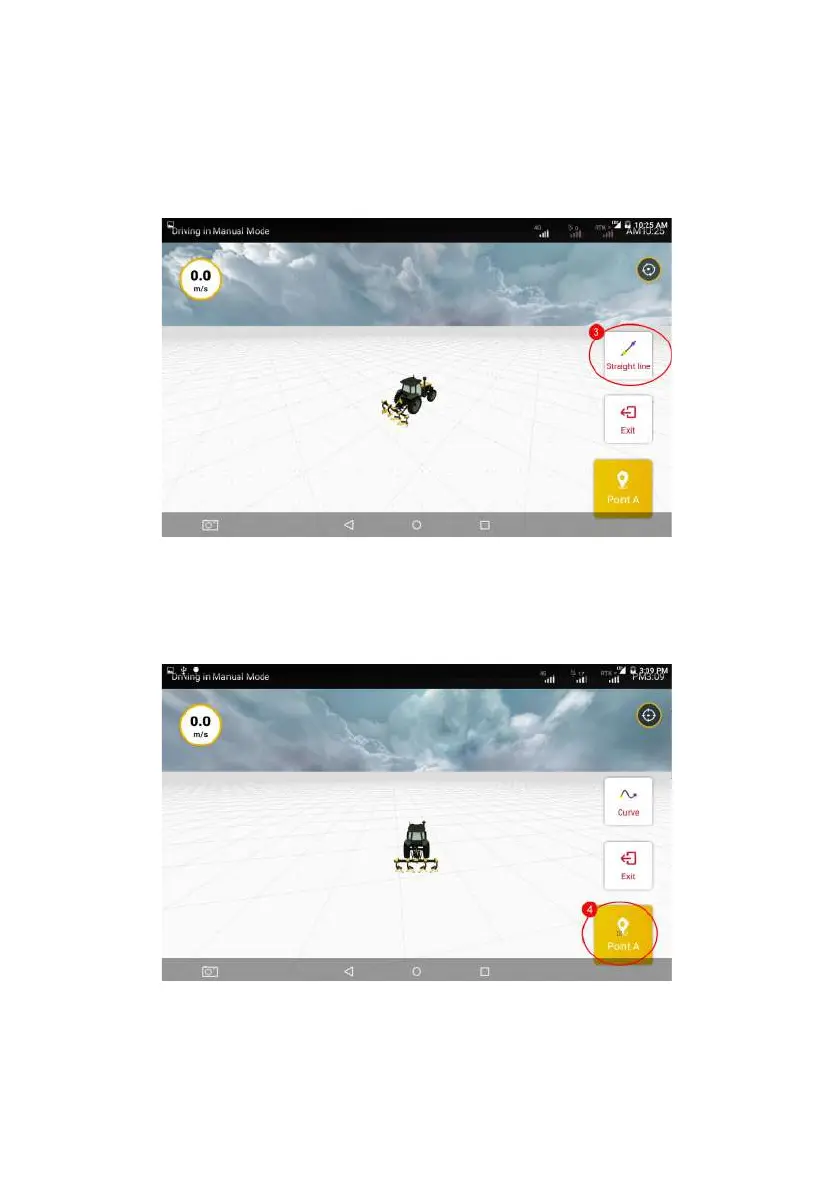
Step 2: On the displayed Guidance Line setting page, tap Straight Line to
switch the plotting mode to the curve.
Figure 3.3.11 Switch plotting mode to the curve
Step 3: After switching to the curve mode, please move the vehicle to the
starting point of the operation, and tap Confirm Point A on the screen to confirm
the current position as Point A on the curvilinear guidance line.
Figure 3.3.12 Confirming Point A
©FJ Dynamics Technology Co., Ltd. All rights reserved.



 To Next Page