4.4.3. normal operation
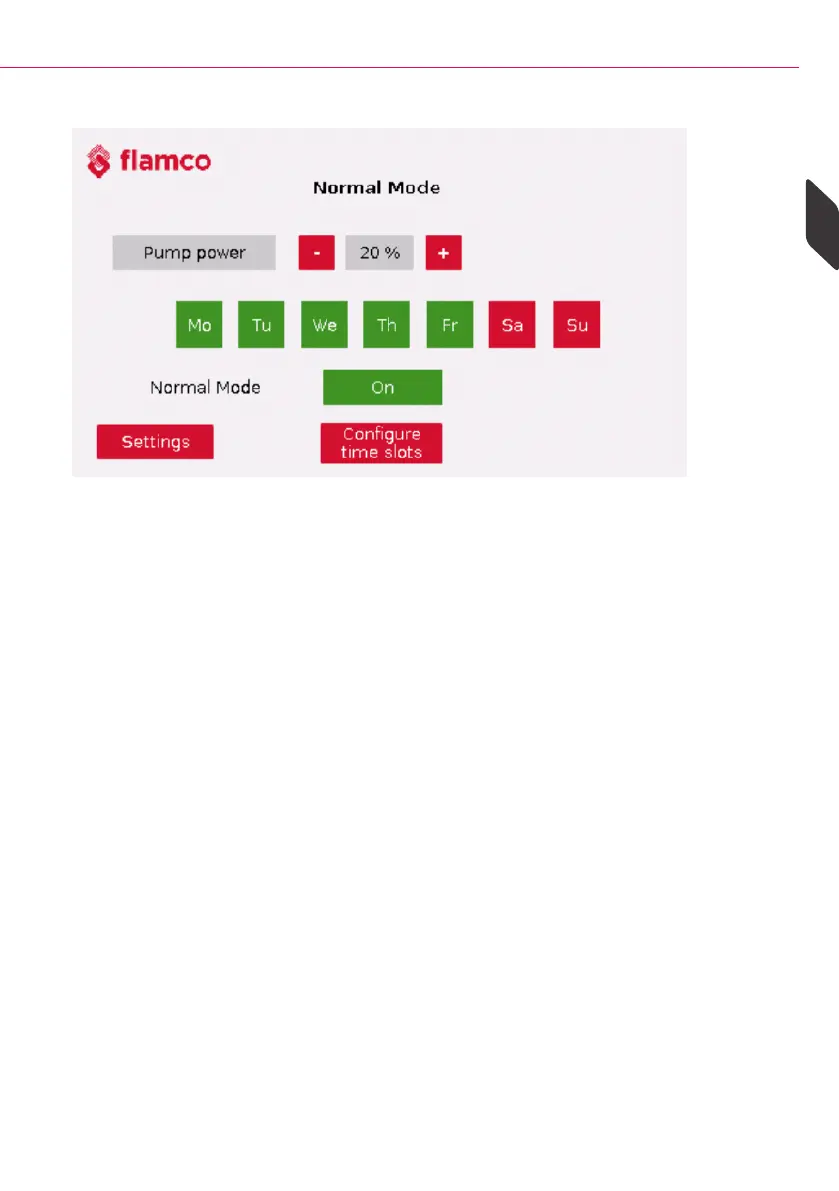
Figure 4.4.2. Normal - ON
The following settings can be made on this page:
• Adjust the pump output in continuous operation from 10-100% in steps of 5
• The days on which continuous operation should be active: - If the day of the week is
highlighted in red, the day is inactive - If the day of the week is highlighted in green,
the day is active
• Normal operation can be activated/deactivated via ''On/Off''
Using the ''Configure time window'' button, up to five time windows can be individually
set:
> Time slots from 00:00 - 00:00 are not active.
23
Sideflow Clean Pro
> Sideflow Clean Pro Operation
ENG



 To Next Page