Finder User Guide | www.flashforge.com 0086-0579-82273989
14
Tools in print interface
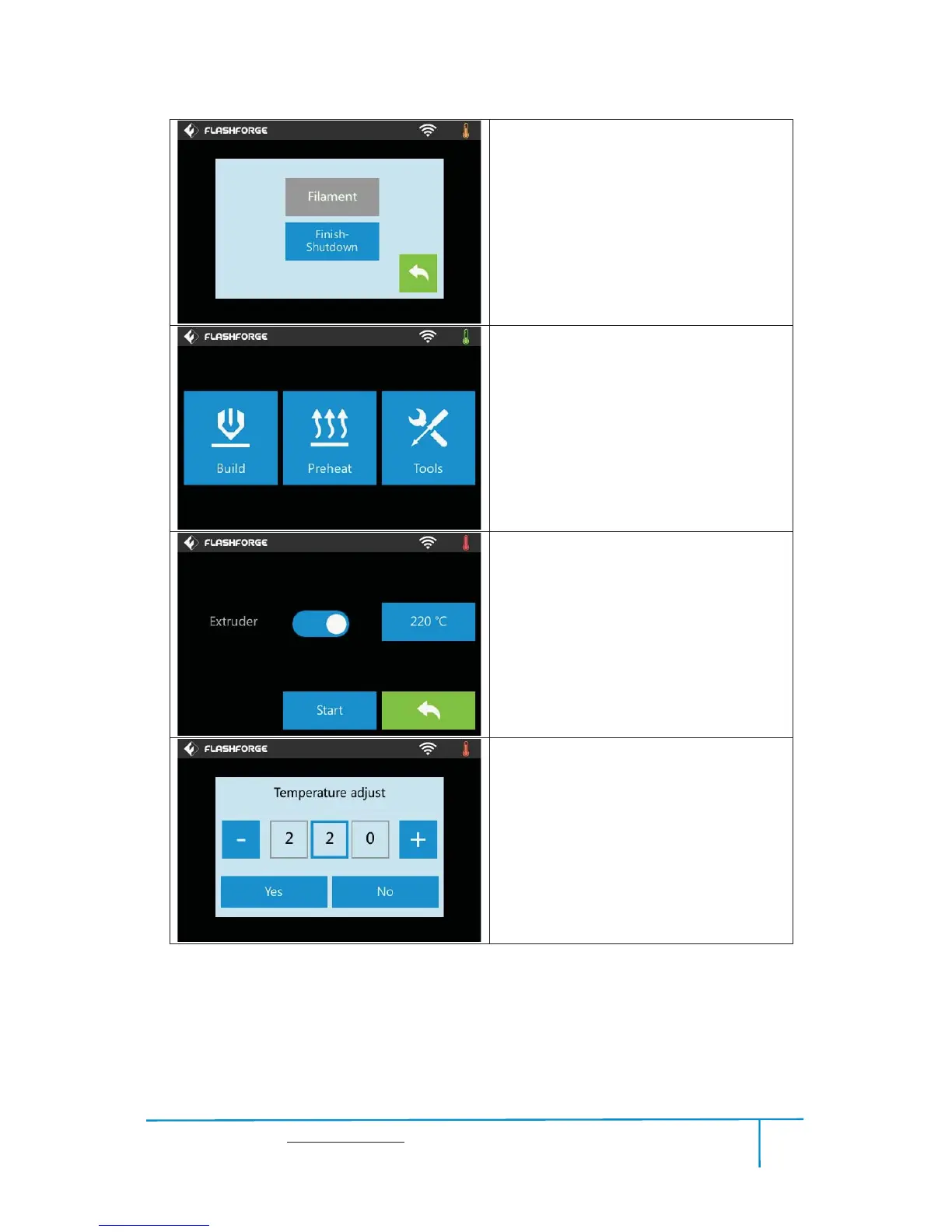
yFilament: To change filament during
printing.
(Note: You need to suspend the operation
first)
yFinish-Shutdown: To start auto shutdown
yCancel: To end the tool orders and return to
the print interface.
Preheat
Tap the [Preheat] button to enter the preheat
interface. Tap the [Start] button to heat up to
the setting temperature.
The default temperature is 220 .ć
Tap the temperature display bar to set the
temperature.
To set the preheat temperature.
Tap [Yes] to save the setting while tap [No]
to cancel the setting.















 To Next Page