Finder User Guide | www.flashforge.com 0086-0579-82273989
52
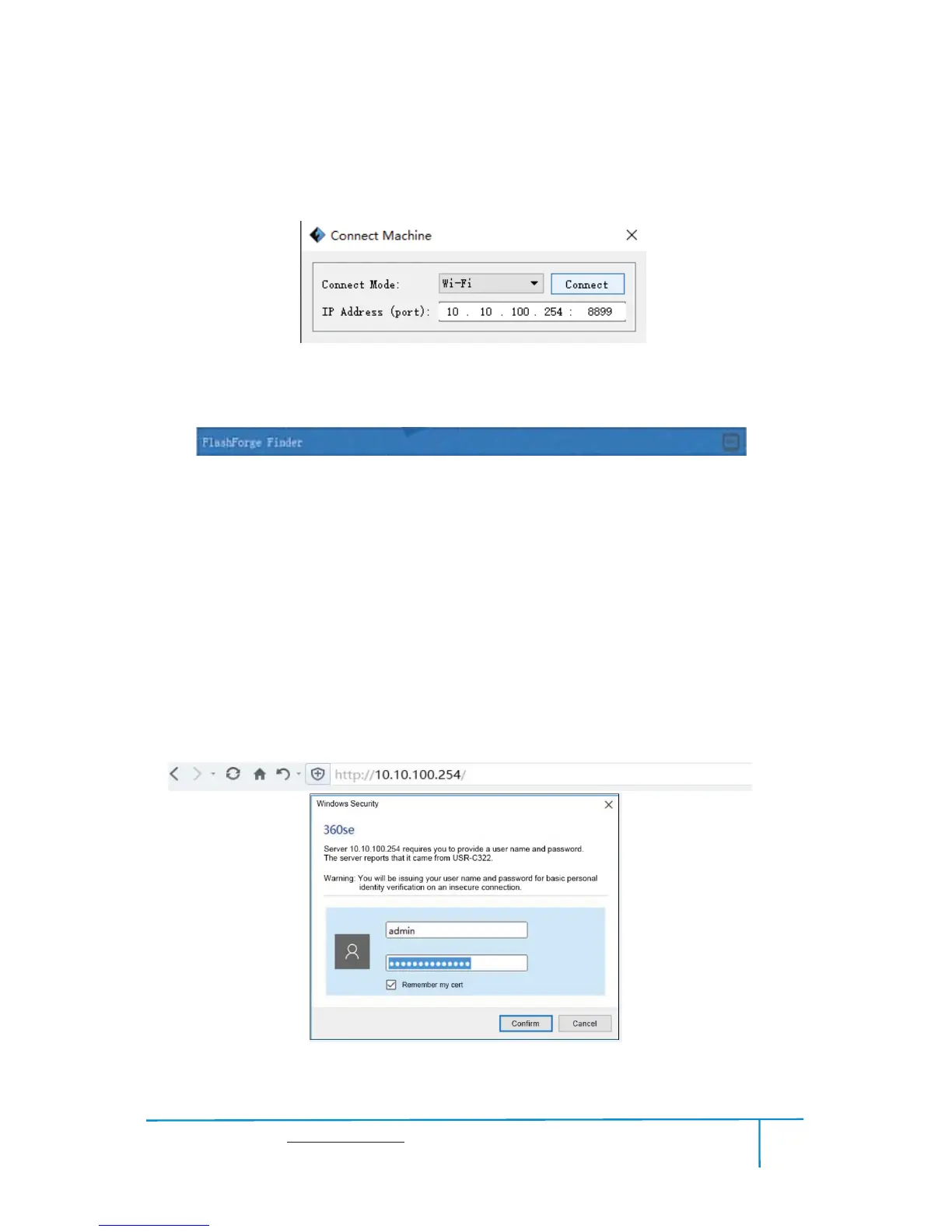
pops up. You need to select “Wi-Fi” in Connect Mode. Enter into the IP Address
shown on the interface and then click [Connect].
6-19
If successfully connected, you will see the following red mark.
Connect Finder with your PC under STA mod
e
a. Turn on the WIFI of Finder and connect your PC with Finder via the WIFI. Press
[ Tools ]
, [ Setting ], [ WIFI ],and [ WIFI ON].
b.“Finder” continuous signal will be found available on the network list.
c. Once your PC is connected with your Finder. Open the Internet browser and
enter “
10.10.100.254” and enter the default user name(admin) and
password(admin)
.
620
e You will enter the WIFI setting panel, it displays as follows:















 To Next Page