Finder User Guide | www.flashforge.com 0086-0579-82273989
54
e. Click the [Restart] button. You need to restart your Finder’s WIFI. And then your
Finder will connect with your computer via the WIFI that you’ve set up.
Disconnect Finder
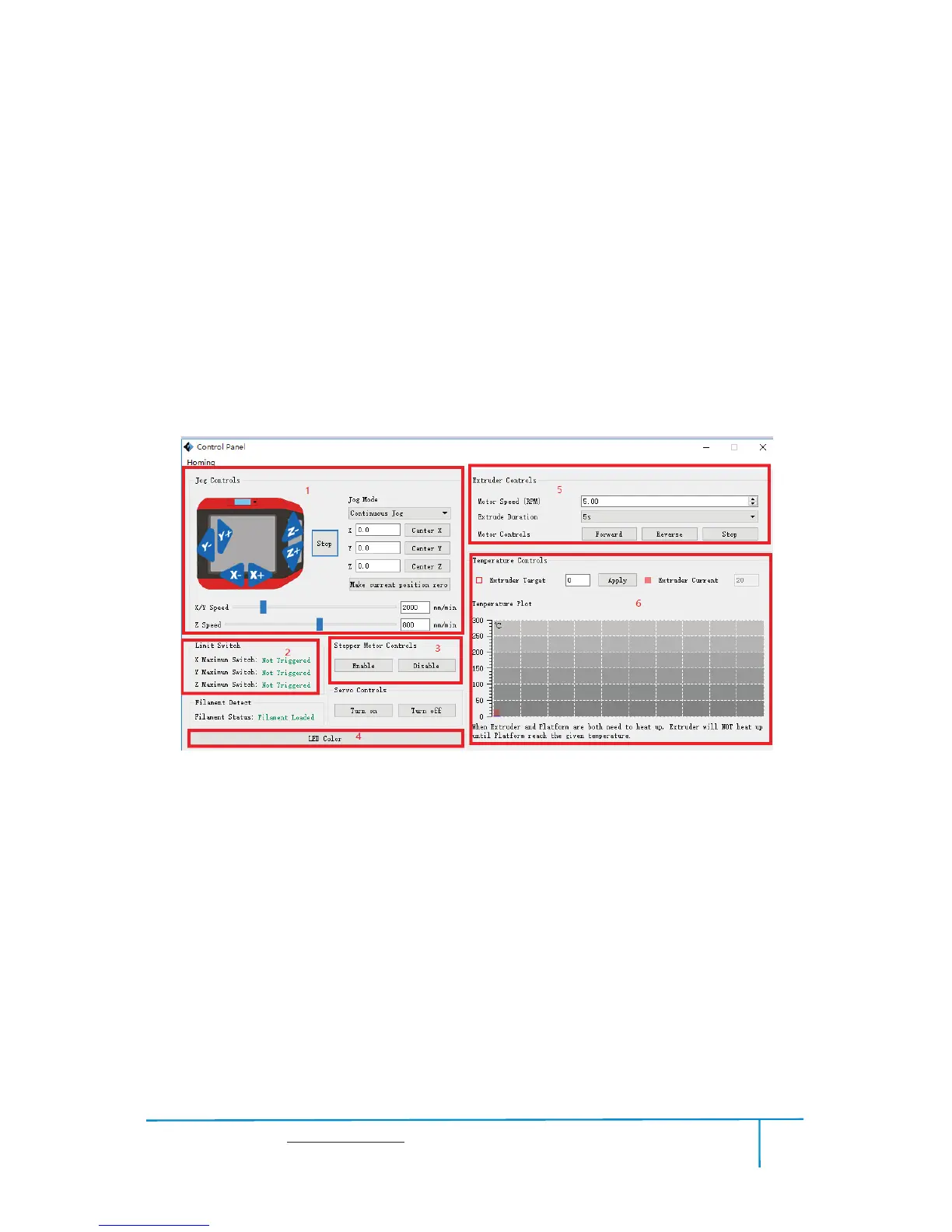
Control Panel
After connecting PC with Finder, click
[Tools]--[Control Panel] to open the control
panel.
6-23
Jog Controls
a. Jog Mode
Select the distance that extruder/build plate move a single time (that is,
the distance extruder/build plate move upon your single click).
b. Six blue arrow direction button: Control the move along X/Y/Z axis. X/Y axis
button control extruder move, Z axis button control build plate move. Click X-,
extruder will move leftward a specified distance; Click X+, extruder will move a
specified distance rightward. Click Y-, extruder will move forward a specified distance;
Click Y-, extruder will move backward a specified distance. Click Z-, build plate will















 To Next Page