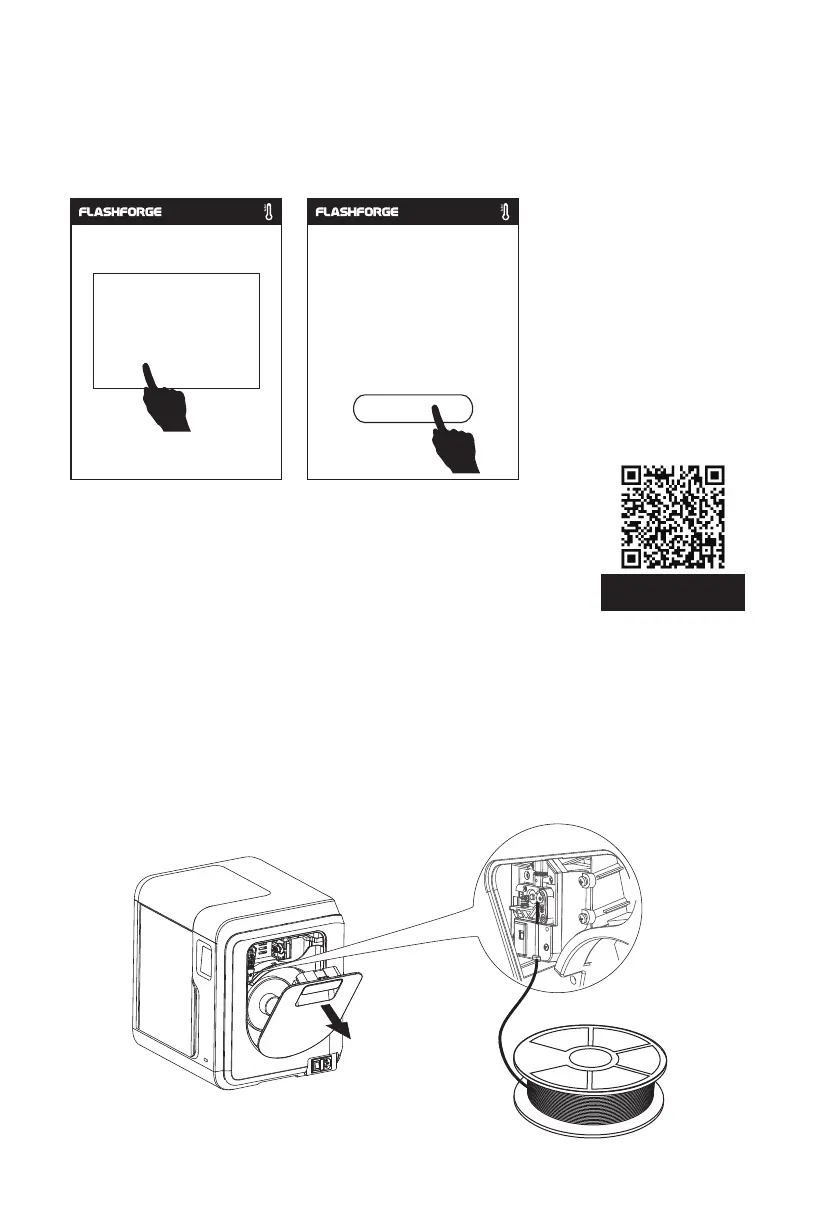
2.4.2.2 Flilament Loading
14
1. Open the filament cover, insert the filament into the filament intake, push the filament
into the feeding wheel until some resistance is sensed.
Note: Please make sure the filament has been pushed into the feeding wheel!
3. After calibrating the first point, please follow the on-screen prompts to continue the
9-point automatic leveling.
For specific operation, you can refer to the video. The link path
is as follows:
Flashforge's Official Website(www.flashforge.com)- Support-
Video Center - select [Operation Videos] - [Adventurer 3 Pro2].
Scan the QR code to
view the video.
0.00 0.00 0.00
0.00 0.00 0.00
0.00 0.00 0.00
Do you want to continue
and complete the
auto-calibration?
Yes No
Completed















 To Next Page