17
After generating the Gcode file, you can transfer it to your printer with different network
methods. If you choose to print from a USB flash drive, please insert the USB flash drive
with the target file into the USB port on the printer. There will be no need to set network
connection.
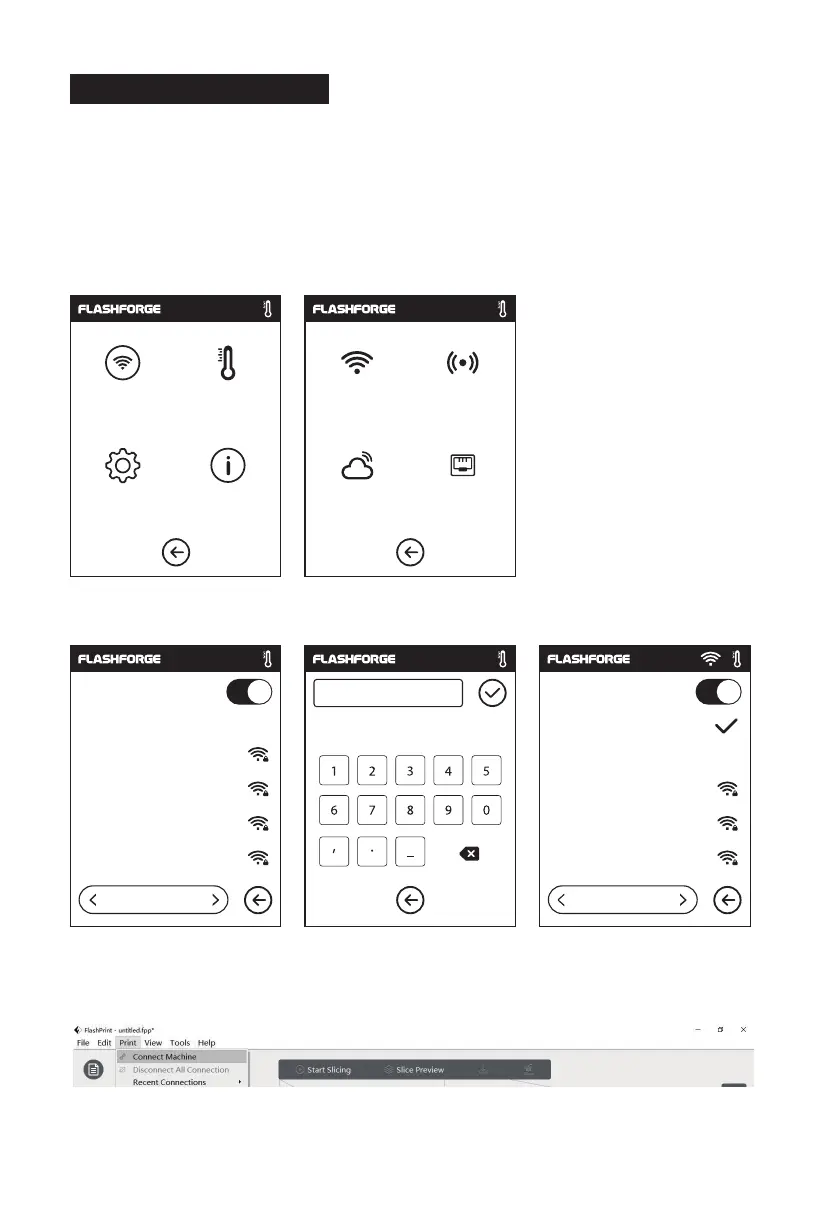
1. Tap [Tools] - Tap [Network] - Tap [Wi-Fi].
2. Choose a network and input the password.
3. Open the FlashPrint software, click the icon at the bottom left corner of the interface to
select the [Machine Type], select [Adventurer 3 Pro 2]. Then click [Print] - [Connect Machine].
2.4.3 Model File Transfer
Method 1:
Wi-Fi Connection
Network Preheat Wi-Fi Hot spot
Setting
WiFi
123 abc %#
1/3
Flashforge
ChinaNet-AnCr
TP-LINK_EDC2
QS_1234
Choose a network
WiFi
1/3
Choose a network
ChinaNet-AnCr
TP-LINK_EDC2
QS_1234
Flashforge
About Cloud Ethernet















 To Next Page