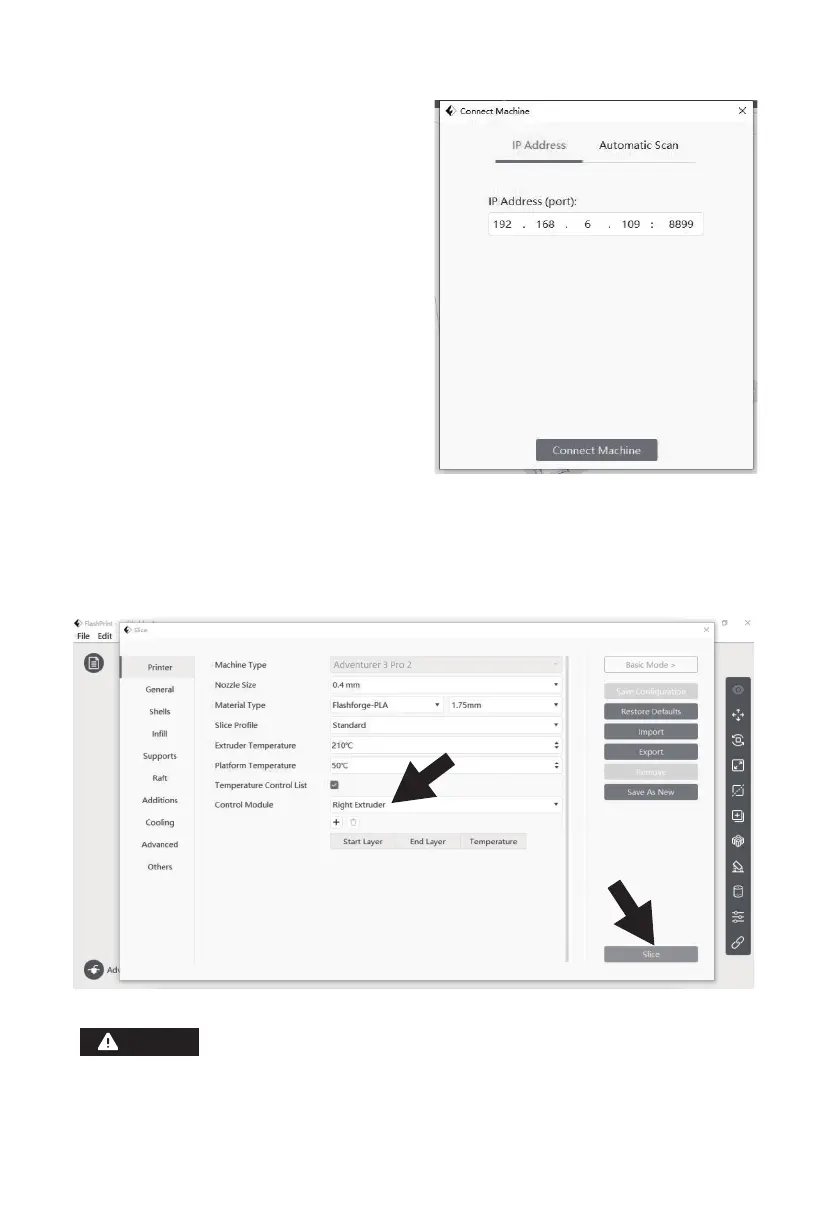
4. For the connection method, you can
choose to fill in the IP address of the
printer or choose automatic scanning
in the pop-up dialog box. Click [Tools]
- [About] and turn to the second page,
and there is the IP address. Click to
connect when finishing the input.
5. When the printer is connected successfully, the [Multi-Machine Control] interface, where
you can view the printer connection status, will pop up. In this case, it will display the
printer as a connected status. After finishing processing the model in FlashPrint, click
[Start Slicing] - [Slice]. Select the appropriate location to save the sliced file.
When the user wants to use the browser to view the images, the printer and PC must be in
an intranet [that is, the printer and PC should connect to the same router].
Notices
18















 To Next Page