26
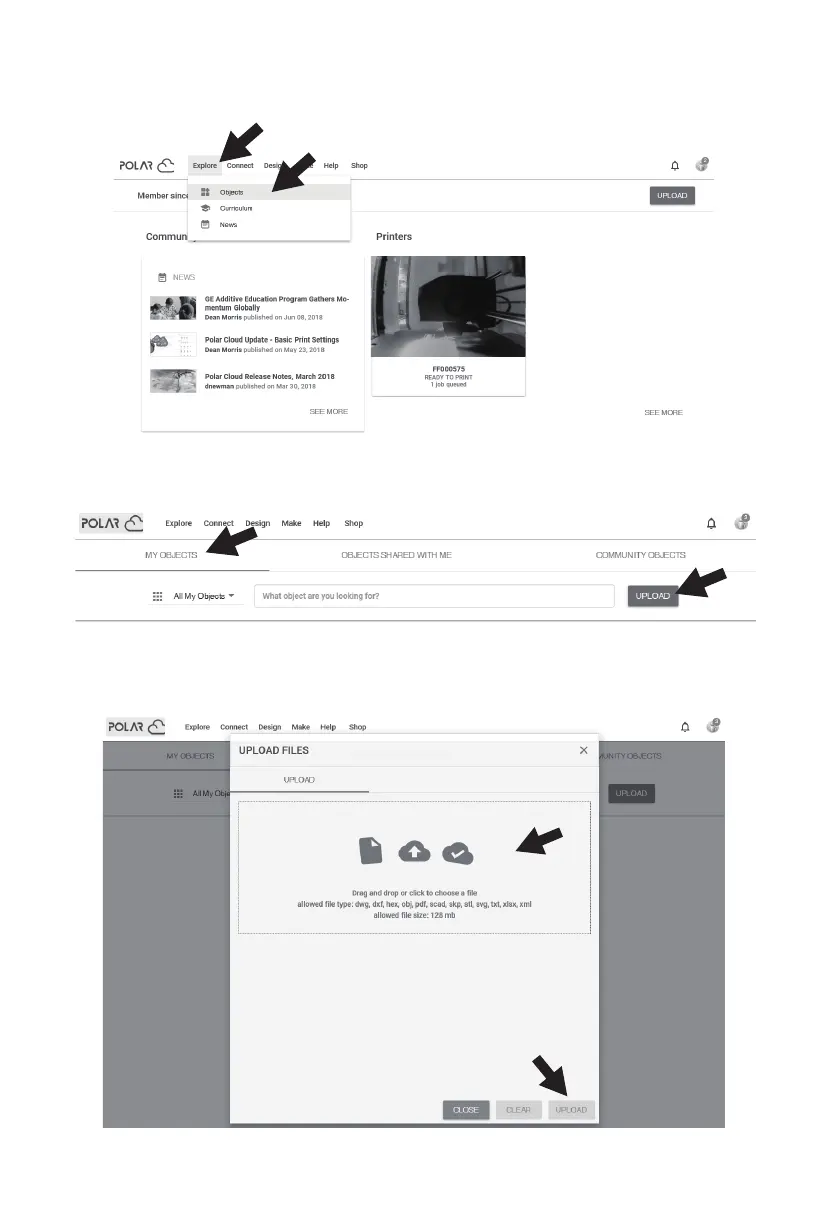
6. Click [Explore] in the menu bar at the top of the home page of the website, and then click
[Objects].
7. Click [MY OBJECTS], then click [UPLOAD] to upload the model.
8. Drag and drop the model file to be uploaded to the box area or click the box area to
select the model to be uploaded, and then click [UPLOAD] to upload the model.















 To Next Page