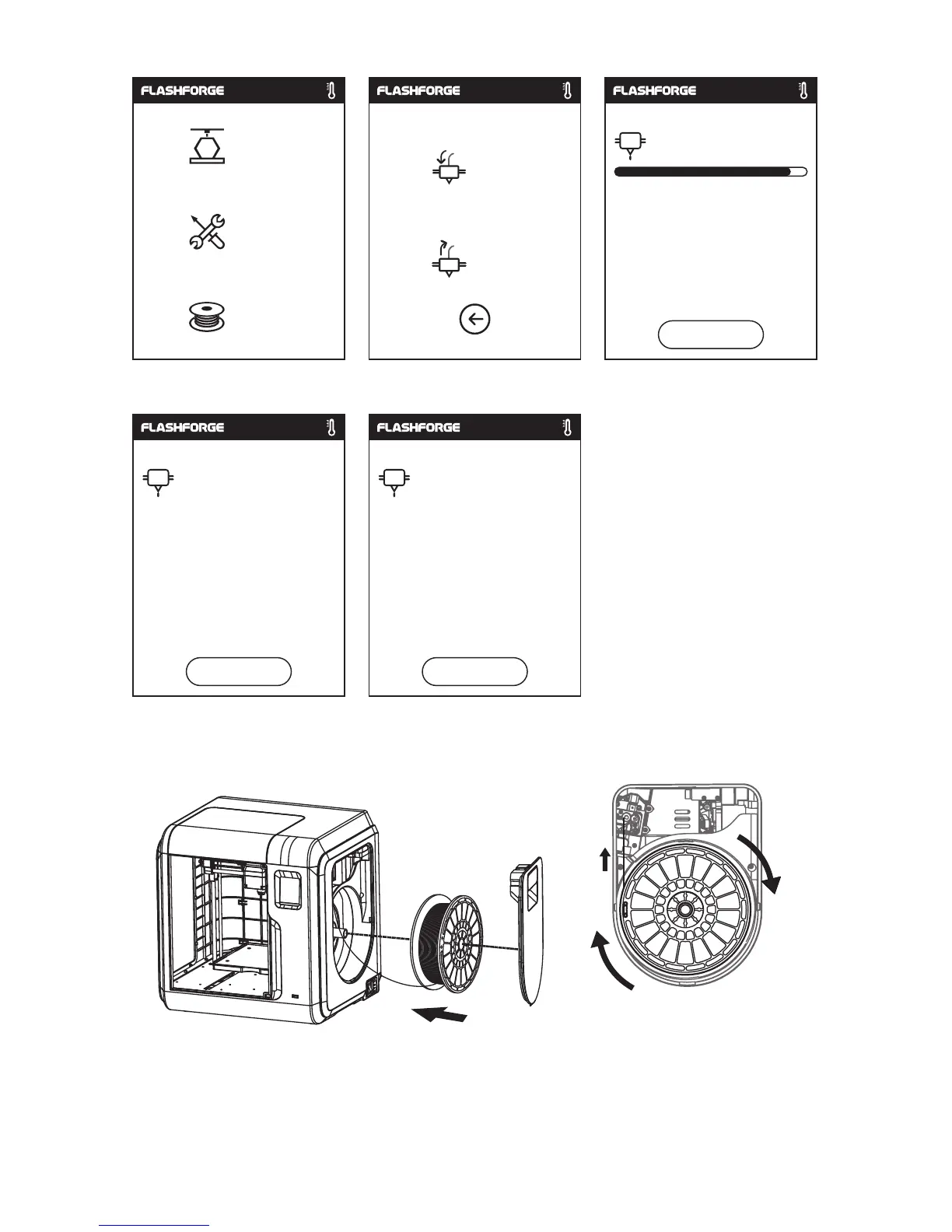
2. Tap [Filament]--Tap [Load]--After Load completed--Tap [OK]
3.
L
oad completed when you see filament come out of extruder, Tap [OK].
Put
a spool of filament on the spool holder, close the filament cover.
Build
Tools
Filament
Load
Replace
200
/220℃
Extruder heating on...
Cancel
220
/220℃
Preheating completed,
Load begins.
ok
220
/220℃
when filament load the extruder
steadily, replace completed.
Mind the loading direction of filament, make sure
to be clockwise as the picture showed.
ok
11















 To Next Page