14
1
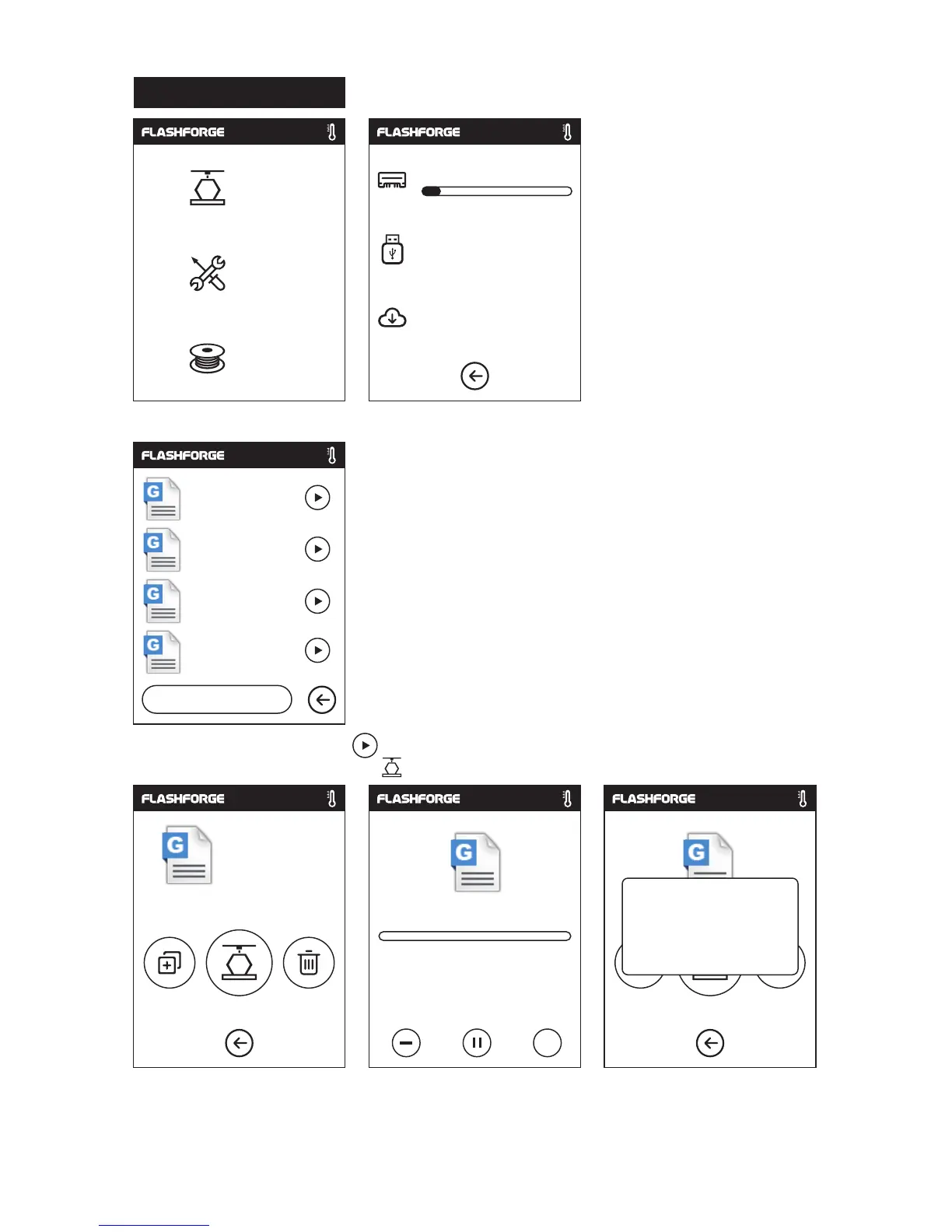
. Tap [Build], choose the file path: SD card, USB stick, Cloud.
2
. Choose the model file, tap on its right to start printing; or tap model picture or model
name to enterdetail page, tap to start printing.
3
. Extruder will heat up automatically, when heating finishes, the printer will start
to build the model. After printing completed, printer will sound a beep and pop
out a notice on the touch screen.
Model Print
Build
Tools
Filament
6.62GB
No task
Not Available
1/3
<
<
...
0
h
0
min
Build time
m
7.49
Build completed!
ok
Backkom.g
Christmas stocking.g
Christmas.g
Christmas stocking(1).g
Backkom.g
Backkom.g















 To Next Page