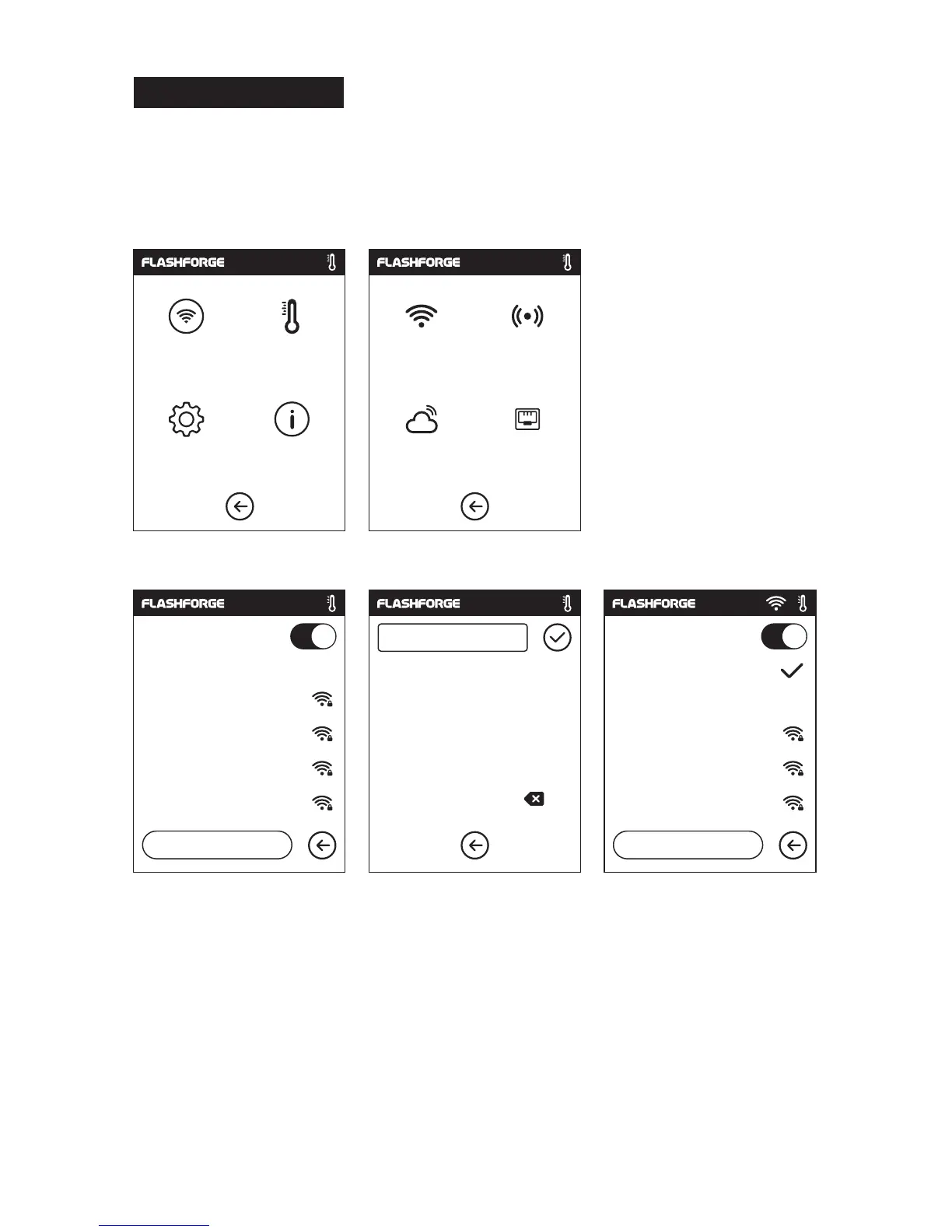
After generating the Gcode file, you can transfer it to your ADVENTURER 3 with different
communication methods. If use USB stick to print, please insert your USB stick with
target .g/.gx file to your ADVENTURER 3, there will be no need to set new
communication.
WiFi Connection
1. Tap [Tools]--Tap [Communication]--Tap [WIFI] ;
2. Choose a network and input the password.
C
ommunication
Communic
ation
Preheat
Setting
About
WiFi
H
otspot
Cloud
Ethernet
WiFi
Choose
a network
Flashforge
ChinaNet-AnCr
TP-LINK_EDC2
QS_1234
1/3
<
<<
1
2
abc
1
23
%#
1
2
3
4
5
6
7
8
9
0
,
.
_
WiFi
Choose
a network
Flashforge
ChinaNet-AnCr
TP-LINK_EDC2
QS_1234
1/3
<















 To Next Page