1/2
<
<
1/
2
<
<
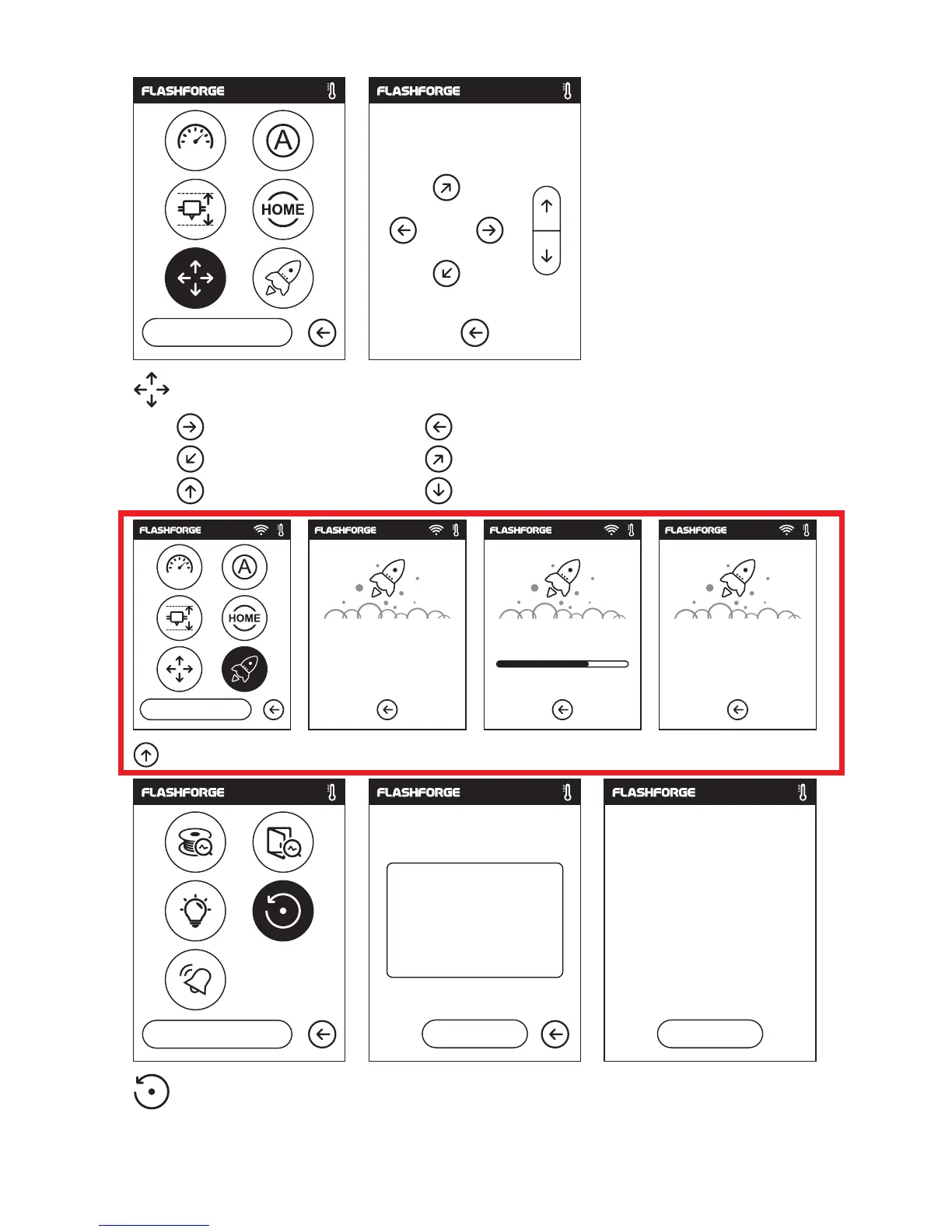
Manual: To manually adjust the positions of X, Y and Z axes.
Extruder moves to the right; Extruder moves to the left;
Extruder moves to the front; Extruder moves to the back;
Extruder moves upward; Extruder moves downward;
Update: To upgrade the newest firmware.
Factory Setting: Delete all data in internal memory, return the printer to factory setting.
X
Y
Z
X: 20.00 Y: 45.00 Z: 36.00
X
Y
Z
Updating Upgrade completed!
Upgrade completed!
75
%
Start
Yes No
OK
2
/
2
<
<
Restored to factory setting
Completed
25
Restore to factory setting?















 To Next Page