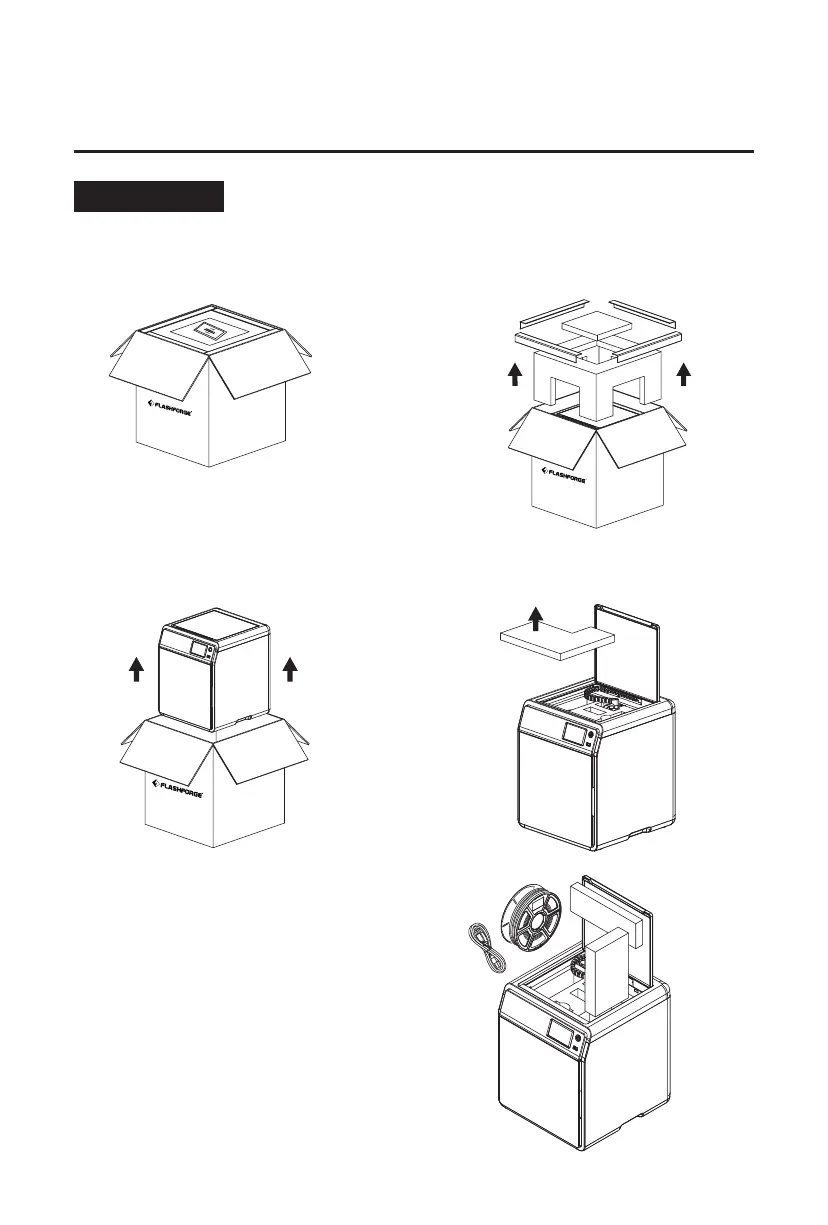
1. Open the box.
Safety Notice: Do not power on the printer until installation is completed.
2. Remove the upper foam packaging,
Quick Start Guide and After-sales
Service Card.
3. Take out the machine, place it on a
level workspace and remove the
packaging bags and tapes.
4. Open the top cover and remove the
upper protective foam.
5. Remove the filament, power cable, and
accessory box from the chamber protective
foam. Remove the inner protective foam
from the extruder.
2. Initial Setup
2.1 Unboxing
06















 To Next Page