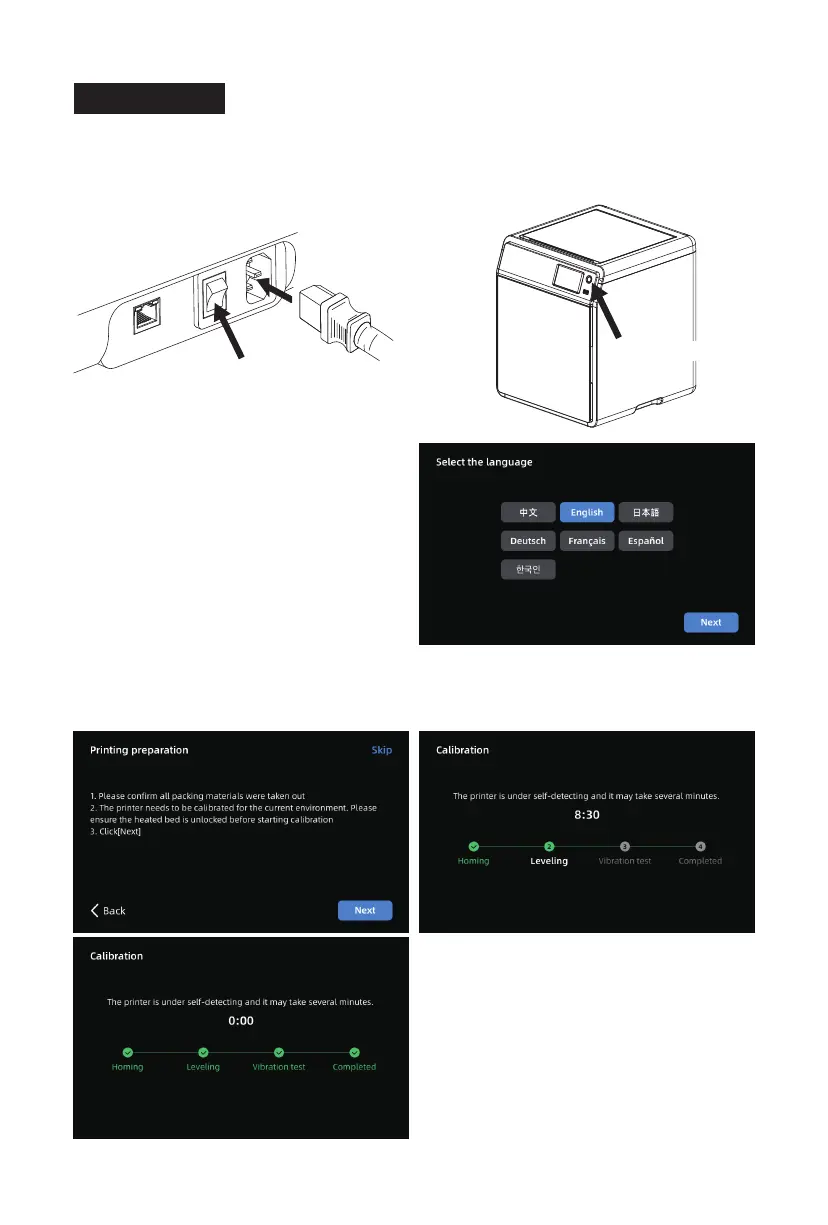
1. Connect the power, turn on the power switch, and press the
switch button to turn on the screen.
* The interface layout may change whenever there is an upgrade of firmware.
Power Switch
2. Following the guide on the screen, select
the language.
3. Click [Next] according to screen prompts and the machine will perform the first calibration.
Vibrations and noise during calibration are normal. (Note: Please keep the machine on a
stable surface and do not move it during calibration.)
2.5 First Print
Switch Button
11















 To Next Page