5
Precautions for Unpacking the Equipment
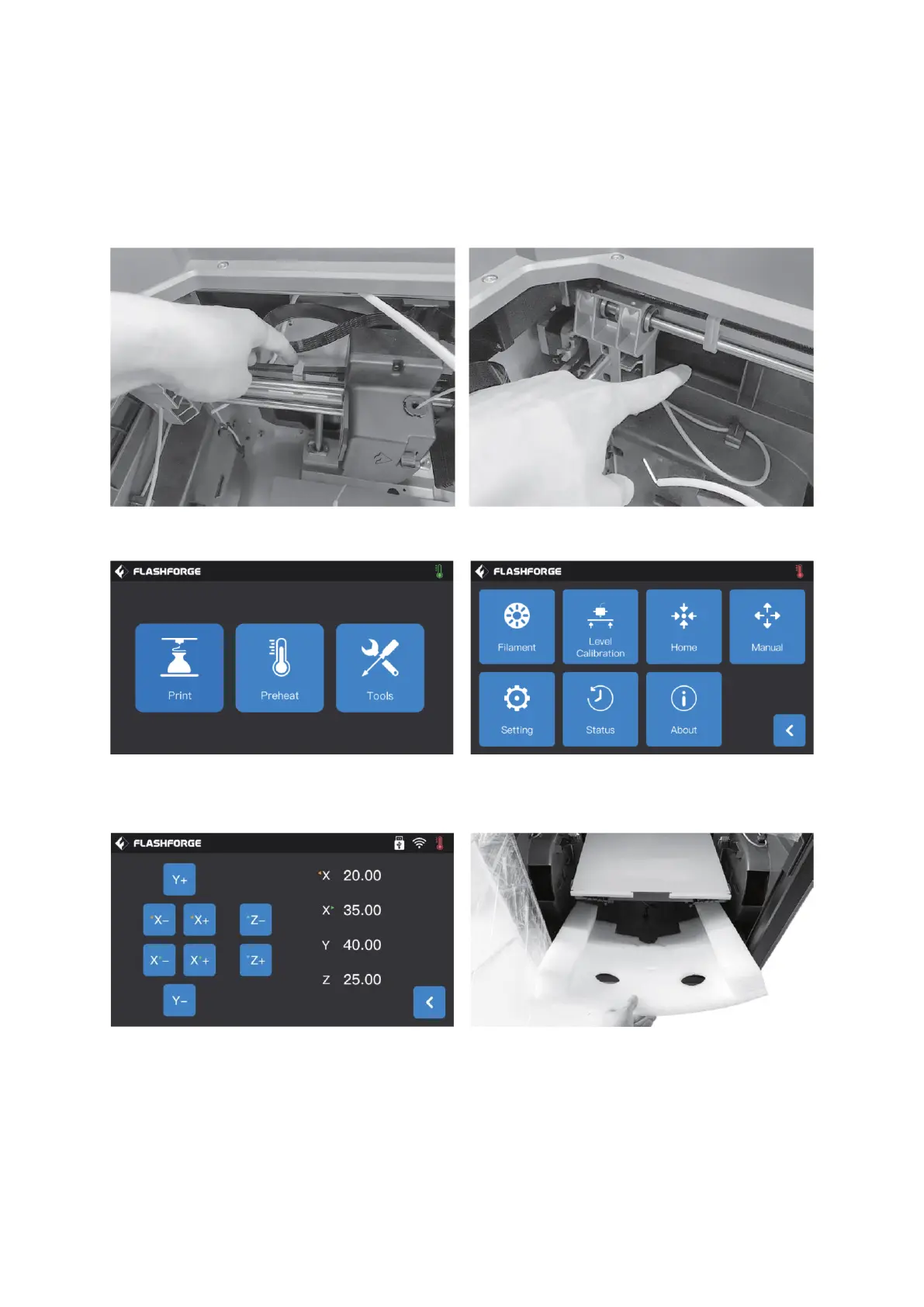
First, take out the top accessories and pearl cotton. Proceed with removing the tape
from the machine. Take out the internal pearl cotton block.
Remove the buckles on the X-axis and Y-axis synchronous belts.
Connect the printer to the power supply, and after the 3D printer powers on, click on
[Tools] and [Manual] to enter the manual control interface.
Press and hold [Z-] continuously until the build plate rises to a higher position, and then
take out the foam block, as shown in the picture above.















 To Next Page