7
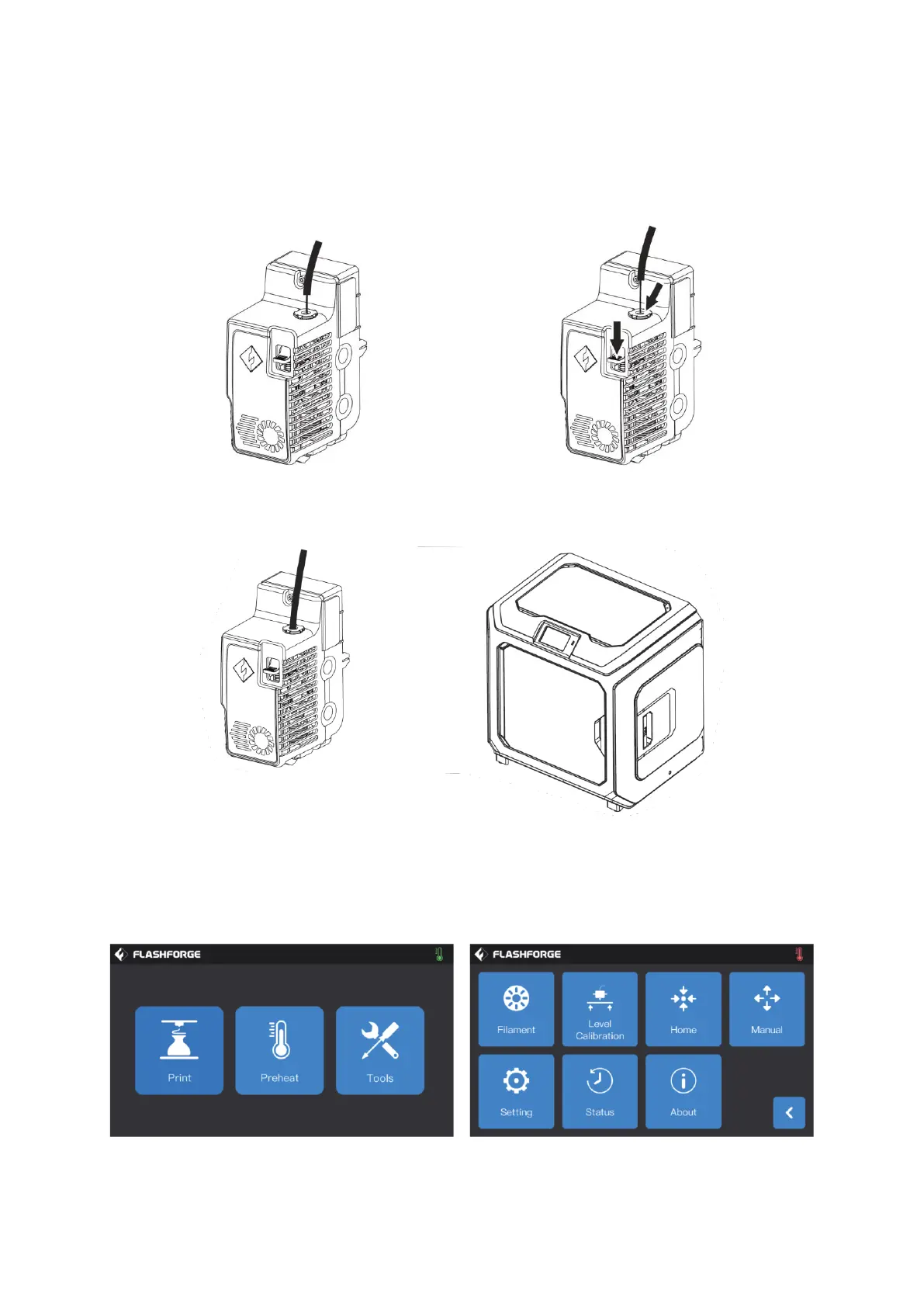
Insert the filament into the filament feeding inlet continuously until the filament goes
through the filament guide tube. Press the filament feeding pressing plate in front of the
extruder, insert the filament vertically into the extruder until it can't be inserted any
further, and then loosen the filament feeding pressing plate.
Insert the filament guide tube into the filament inlet hole on the extruder to fix. Finally,
fix the filament spool on the filament spool holder and close the cover.
Filament feeding operation: Click the [Tools]-[Filament] button on the screen in turn
and set a reasonable heating temperature according to the required temperature value
of the material. Operate according to the screen prompts and wait for the nozzle to
extrude uniform filament smoothly.















 To Next Page