19
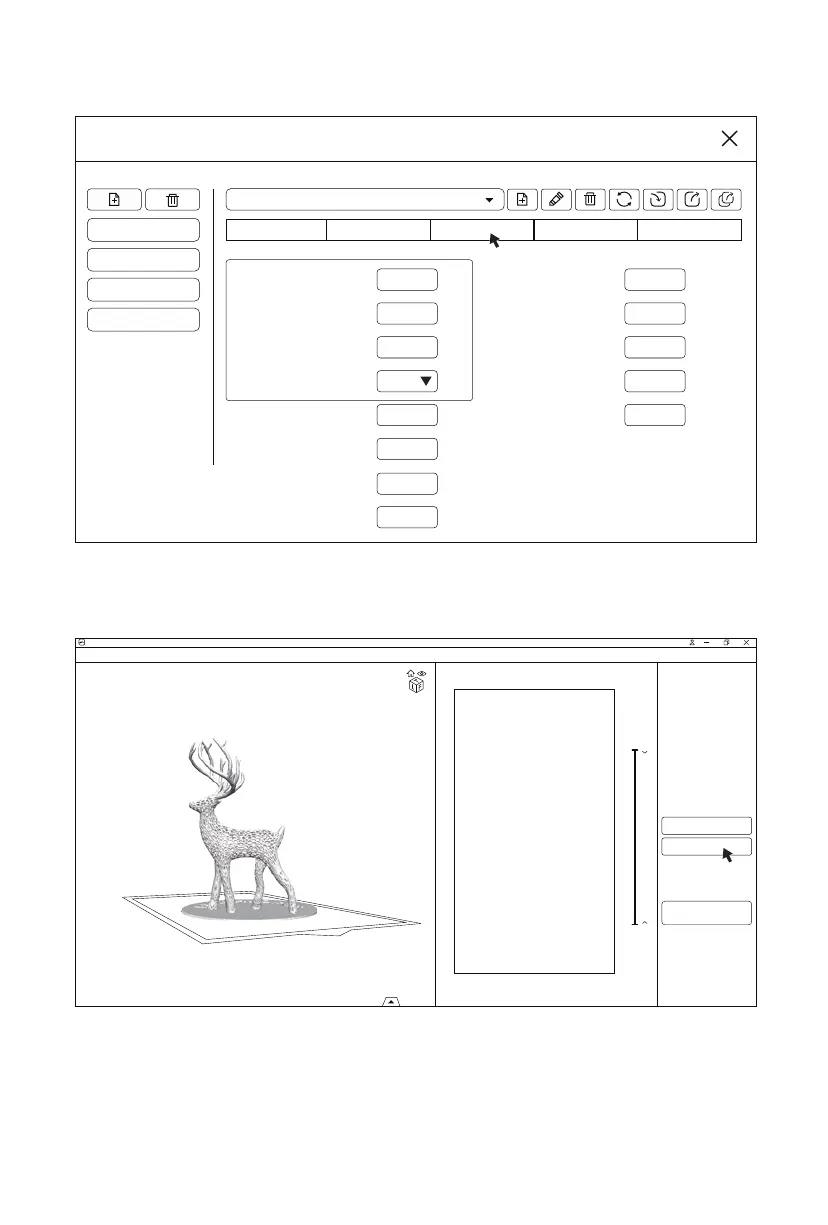
4. Click the [Settings] and the pop-up window will appear. Generally, it is enough
to adjust the ‘Layer Height’, ‘Bottom Layer Count’, ‘Exposure Time’, and ‘Bottom
Exposure Time’.
5. After all parameters being set, click the [Slice] and a tip ‘Slicing’ will show at the bottom
right of the interface. When the slicing is done, a preview interface will display.
6. Click the [Save] to save the file type as ‘.svgx’ ; choose the folder and click [Save].
Settings
Default
FLASHFORGE Standard Resin Grey for 0.1mm
foto 13.3
foto 8.9
foto 6.0
Machine
Layer Height:
Bottom Layer Count:
Exposure Time:
Exposure Time:
Exposure Time:
Bottom Exposure Time:
Light-off Delay:
Bottom Light-off Delay:
mm
s
s
mm
mm
mm/min
mm/min
mm/min
10
10
65
65
150
0.1
1
8
Linear
6
80
s
0
s
0
Bottom Lift Distance:
Lifting Distance:
Bottom Lift Speed:
Lifting Speed:
Retract Speed:
Resin Print Gcode Advanced
Save
Network Sending
Machine:
Resin:normal
Volume:1.8 (ml)
Weight:2.0 (g)
Price:0.05$
Time:3h15m0s
Back
CHITUBOX V1.8.1
untitled*















 To Next Page