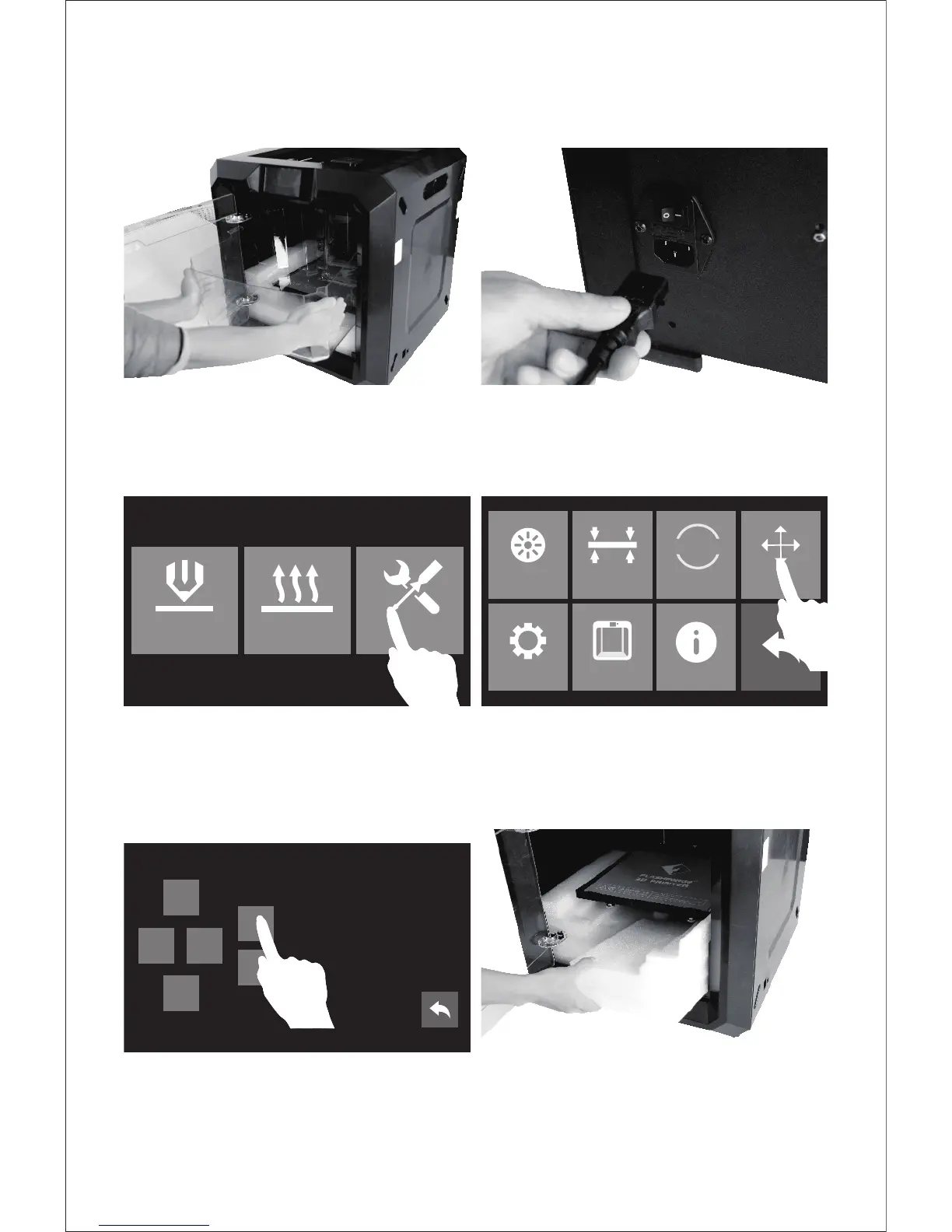
7. Open the door and take out the lid. 8. Take out power cable and plug the power
cable into the input on the back and turn
on the power switch.
9. Press the touch screen button and tap [Tools] .
10. Tap [Manual].
11. Tap [Z-] to partially elevate the build plate.
12. Remove both bottom foam pieces.
Congratulations! You've unpacked
your Guider II.















 To Next Page