Unpacking
04
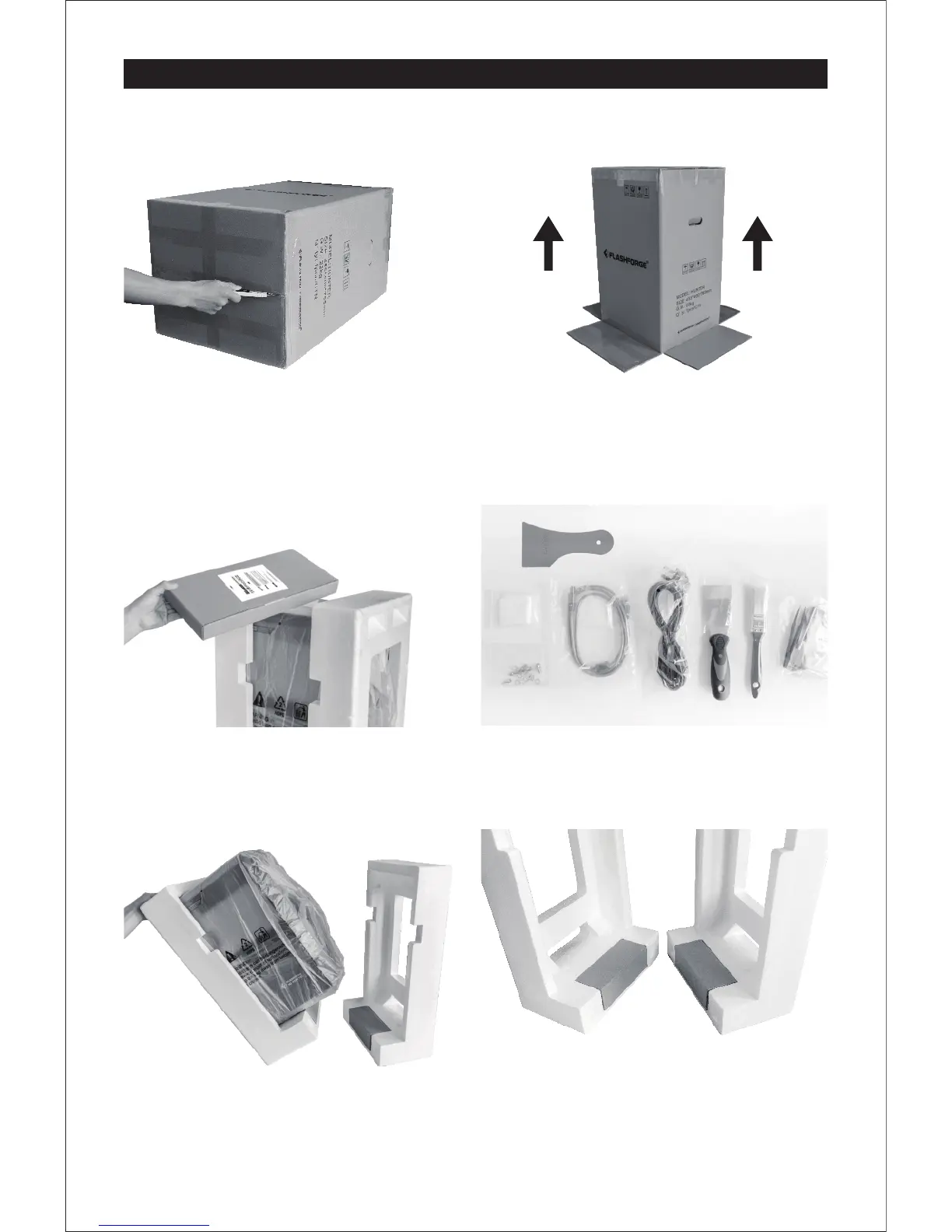
1. Please lay flat the printer on a clean platform,
open the box from the bottom.
2. Set the Hunter upright, lay the white foam on
the floor and lift the carton.
3. Remove foam and accessory box from top.
The foam should contain: Quick start guide,
After-sales service card, and spare Vat film.
4. Accessory box contains USB cable, power
cable, scraper, plastic scraper, brush, soft
cloth, spare screw kits, plastic tweezers,
hexagon wrench, Phillips screwdriver, USB stick.
5. Tilt the Hunter left to remove the foam on the
right, and vice versa.
6. Each foam piece contains a cardboard box;
one holds a 500ml bottle of Photopolymer
Resin, the other holds a power adapter.















 To Next Page