06
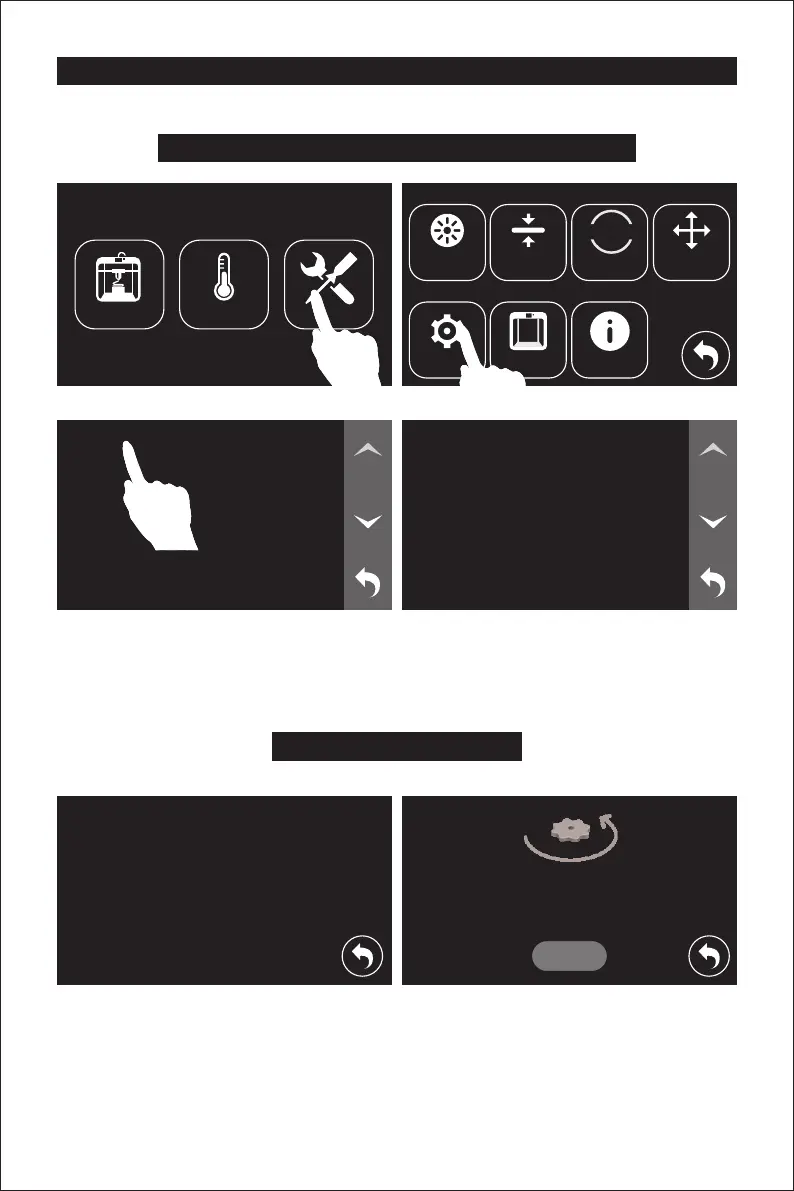
Leveling Build Platform
Build Plate Leveling
1. Tap [Tools] - [Level] on touch screen. Please wait while the extruder and platform finish initial
movements. Screw three knobs under the platform anticlockwise until you can’t tighten them
any more, then tap [OK] button.
How to change language
Language
WiFi
Wlan hotspot
Extruder Calibration
English
English
日本語
繁體中文
简体中文
ToolsPreheatBuild
HOME
Setting Status About
Filament Level Home Manual
1/2
Please wait while the extruder and platform
finish initial movements...
Screw three nuts under the platform
anticlockwise until you can’t tighten them
any more, then tap [OK] button.
OK
1/4















 To Next Page