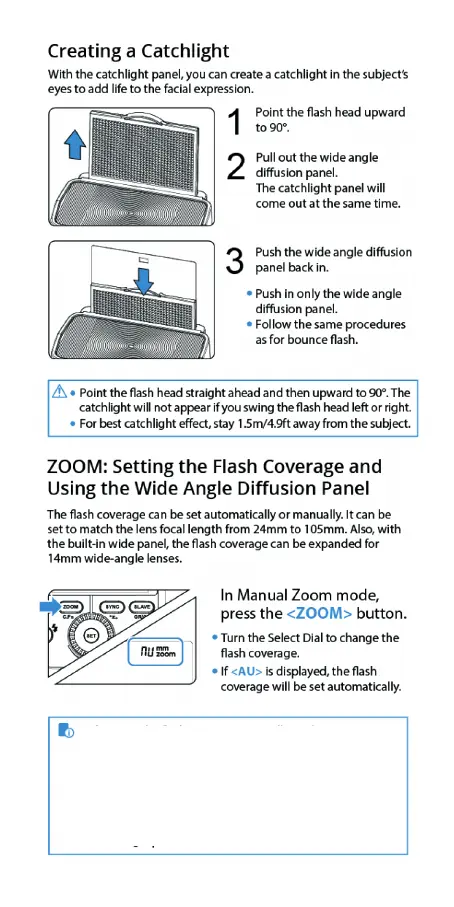
14
• If you set the ash coverage manually, make sure it covers
the lens focal length so that the picture will not have a dark
periphery.
• When the low battery indicator is displayed, the ZOOM can
not be adjusted, it will constantly be 24mm.
• Choose 135 format or APS in the C.Fn-AP.


 To Next Page