EasyManua.ls Logo

FlashPoint ZOOM TTL FLASH R2 - Manual and Multi Wireless Flash Shooting; M: Manual Wireless Flash Shooting; Multi: Manual Wireless Flash Shooting

FlashPoint ZOOM TTL FLASH R2
24 pages
Print Icon
To Next Page IconTo Next Page
To Previous Page IconTo Previous Page
Loading...
14
2
3
5. M: Wireless Flash Shooting with Manual Flash



setting parameters are made on the master unit.
Setting the ash mode to <M>
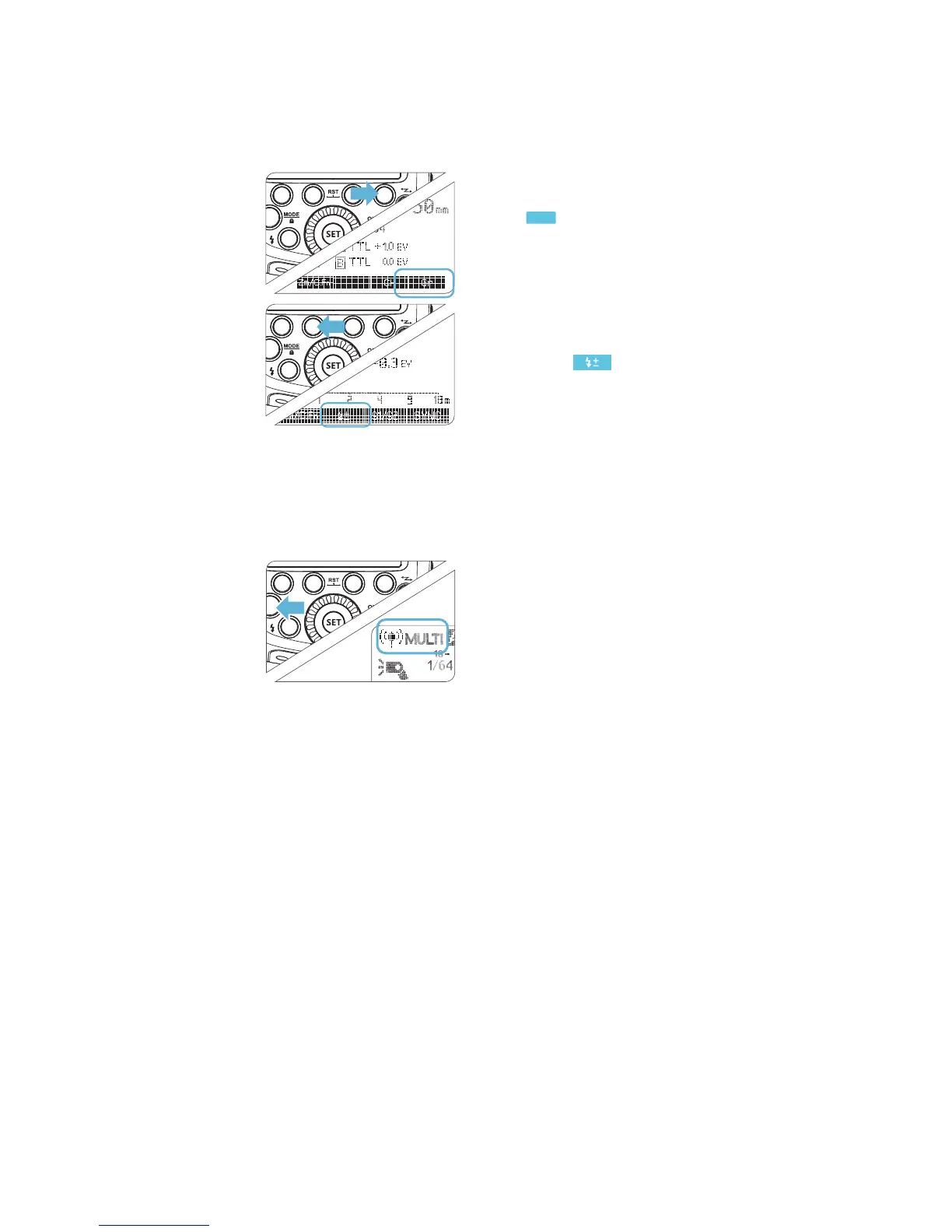
Press Function Button 4 < Gr
><
Gr
> to choose groups.
Then, press Function Button

M mode.
Setting ash output
When choosing the state of
the group, press Function
Button 2 < > to set the
power output. Turn the Select

the groups. Press the <SET>

Taking the picture

ratio.
Setting <Multi>
Stroboscopic Flash.
Press <MODE> button
so that < MULTI> is
displayed.
Setting the stroboscopic

6. Multi: Manual Wireless Flash Shooting



separate groups, as a master or slave.
All of the selection options are the same as in normal non-wireless

and operating range are the same, as long as the main control unit
is set to <TTL>

Related product manuals