H A R D W A R E I N S T A L L A T I O N C H A P T E R 1
Note 2: Make sure PowerSDR is shut-down before turning off the radio.
Otherwise, close PowerSDR and power cycle the FLEX-5000 (turn on,
off and on again) and restart PowerSDR.
(2) Headphone Jack
Accepts headphones with standard 1/4” stereo (TRS) plug. Recommended ratings for headphones are
40 mW into 16 Ohm load (typ) with a 1% THD+N. Higher impedance headphones will also work.
Note: Lower impedance headphones and headphones using a mono plug
can result in popping audio as soon as PowerSDR is started.
(3) Microphone Connector
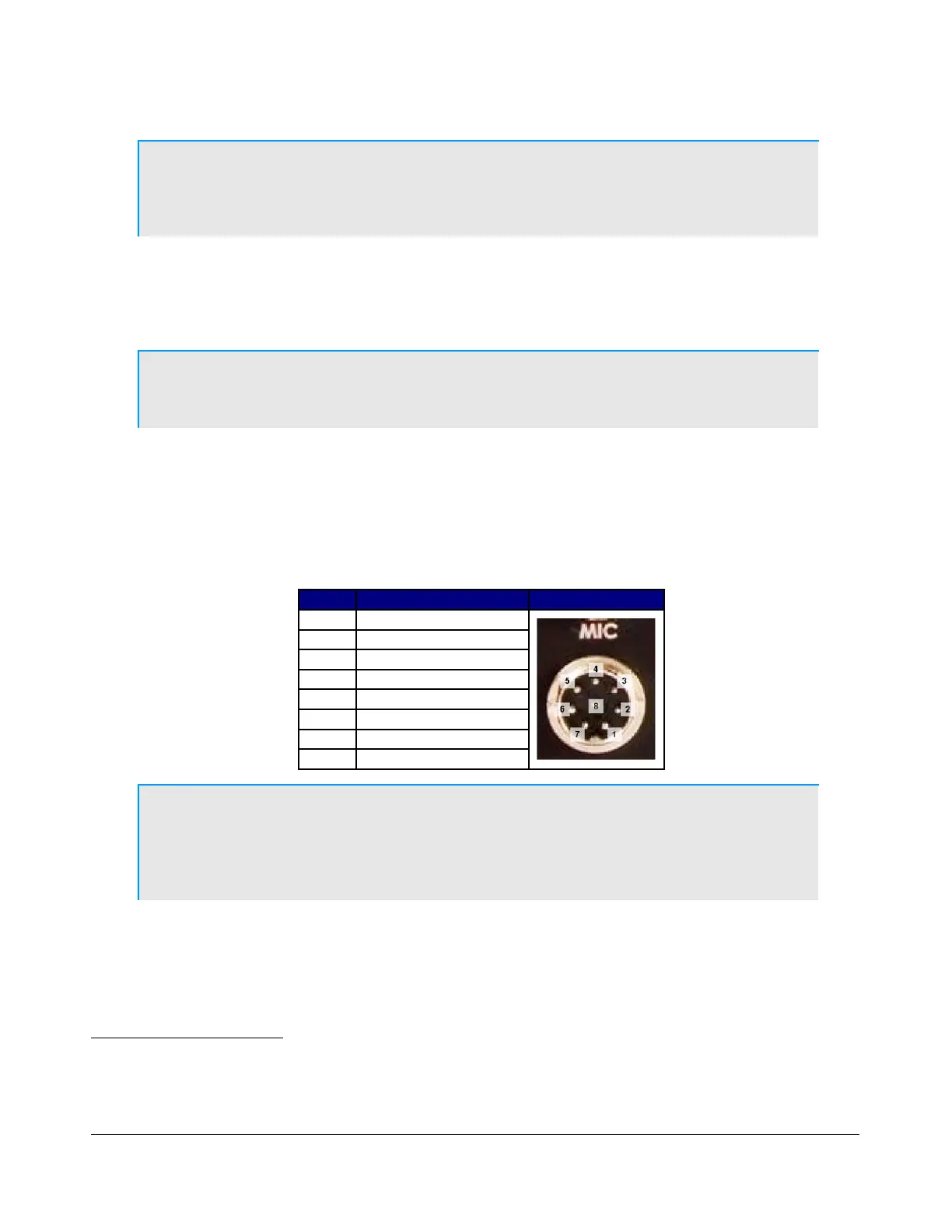
The 8-pin microphone connector offers the ability to connect a microphone and to key the radio via a
PTT line. The pin-out is shown in Table 2 below
1
. To engage PTT, pin 6 must be grounded to pin 5
(Shield Ground) and not to pin 7, which is the microphone ground.
Table 2: Microphone Connector Pin-Out
Pin # Signal Diagram
1 Not Connected
2 +5V DC (max 65mA)
3 Not Connected
4 Not Connected
5 Chassis GND (Shield)
6 PTT (+)
7 Mic (–)
8 Mic (+)
Note: The FLEX-5000 has a 20dB microphone preamp built in. If you do not
require this additional gain, you may want to try using either the
unbalanced Line-In (13) or Balanced Line Input (14) jack on the back
panel (see pages 6 and 10).
We recommend use of the Heil microphones, especially the PR series; however, the HM-10 and Goldline
microphones will also work well with the FLEX-5000
2
.
1
The pin-out is similar to that normally found on Yaesu radios
2
These microphones may not sufficiently drive the rear audio inputs (13) and/or (14) (see page 10) without an external
preamp.
5 2003-2008 FlexRadio Systems



 To Next Page