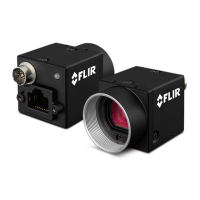
5 BlackflyS Physical Interface
Note: When the camera is connected to a USB 2.0 interface, it runs
at USB2.0 speed, and maximum frame rates are adjusted
accordingly based on current imaging parameters.
Title Article
USB 3.1 Frequently Asked Questions Knowledge Base Article 10019
Related Knowledge Base Articles
5.5 Interface Cables
To purchase a recommended cable from FLIR, visit the Products Accessories page.
For GigEcameras—Category 5e or 6 cables up to 100 meters in length should be used for connecting the camera to the
network interface card on the host system. FLIR sells a 5-meter Category 5e cable for this purpose.
For USB3 cameras—The USB3 standard does not specify a maximum cable length.
n 3-meter USB3 cable (Part Number ACC-01-2300)
n 5-meter USB3 cable (Part Number ACC-01-2301)
n 5-meter USB3 cable high performance (Part Number ACC-01-2302)
Note: A 5-meter USB3 cable (or longer) is not recommended for
laptops or on board controllers.
Title Article
Extending the Working Distance of USB3 Cameras Technical Application Note 10341
Related Knowledge Base Articles
5.6 Interface Card
To purchase a compatible card from FLIR, visit the Products Accessories page.
The camera must connect to an interface card. This is sometimes called a host adapter, a bus controller, or a network
interface card (NIC).
For GigEcameras—A 1000 BASE-T NIC is recommended for streaming images on the Ethernet network between the
camera and host system.
2/19/2019
©2015-2019 FLIR
Integrated Imaging
Solutions Inc.
All rights reserved.
FLIR Blackfly
®
S Installation Guide 21



 To Next Page