2-20 427-0030-00-28 Version 110 Jun 2013
2
Basic Operation and Configuration
2.8.6 General Errors
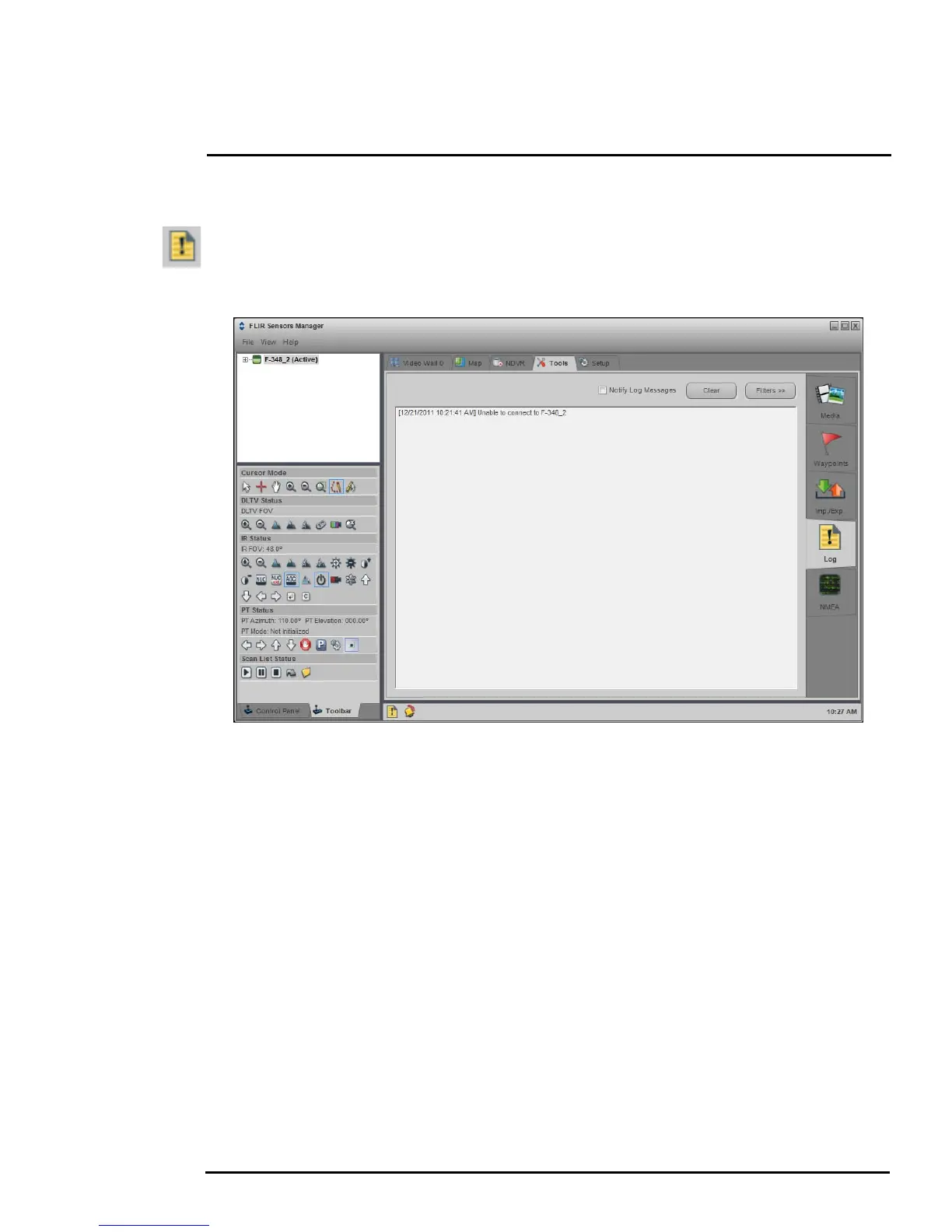
In the status bar at the bottom of the screen there may be an indication that an error has occurred.
When you position the cursor over the error icon (exclamation mark), the error will be displayed in a
temporary pop-up. It is possible to view all the error messages by selecting the Tools tab at the top of
he screen, and then select the Log button to the left.
2.8.7 Unable to View Video Stream
If the video stream from the camera is not displayed in FSM, it could be that the packets are blocked
by the firewall, or there could be a conflict with video codecs that are installed for other video
programs.
When displaying video with FSM for the first time, the Windows Personal Firewall may ask for
permission to allow the FLIR Video Player (vp.exe) to communicate on the network. Select the check
boxes (domain/private/public) that are appropriate for your network.
If necessary, test to make sure the video from the camera can be viewed by a generic video player
such as VLC media player (http://www.videolan.org/vlc/).To view the video stream, specify RTSP port
554 and the appropriate stream name such as “ch0”. For example:
rtsp://192.168.250.116:554/ch0
Refer to section 3.8.1 “RTP Settings” on page 3-14 for additional information on RTP and stream
names.



 To Next Page