3-16 427-0030-00-28 Version 110 Jun 2013
3
Advanced Configuration
The Quality parameter works in cooperation with the Rate Control. The quality setting (Low, Medium
or High; default: High) provides a relative way to balance video quality, latency and bandwidth. When
set to High, the video image will be high quality with high bandwidth and the possibility of some
latency since the encoder may take longer to compress the video.
The I-Frame Interval parameter controls the number of P-frames used between I-frames. I-frames
are full frames of video and the P-frames contain the changes that occurred since the last I-frame. A
smaller I-Frame Interval results in higher bandwidth (more full frames sent) and better video quality. A
higher I-Frame Interval number means fewer I-frames are sent and therefore results in lower
bandwidth and possibly lower quality.
The Image Size parameter controls the video resolution size and therefore can have a considerable
impact on bandwidth usage. The larger the size of the frame, the better the resolution and the larger
the network bandwidth required. The following table provides the corresponding resolution for each
Image Size setting (note, some settings are not available on all cameras).
Note, the image size for FC-Series cameras with 320 resolution is expanded to be equivalent to the
image size for 640 cameras.
As a rule of thumb, if the video will be viewed on its own and on a reasonably large screen, a large
image size setting may look better. On the other hand, if the video is shown as a tile in a video wall, a
smaller image size may look as good and consume less bandwidth.
3.8.4 MJPEG Codec Type
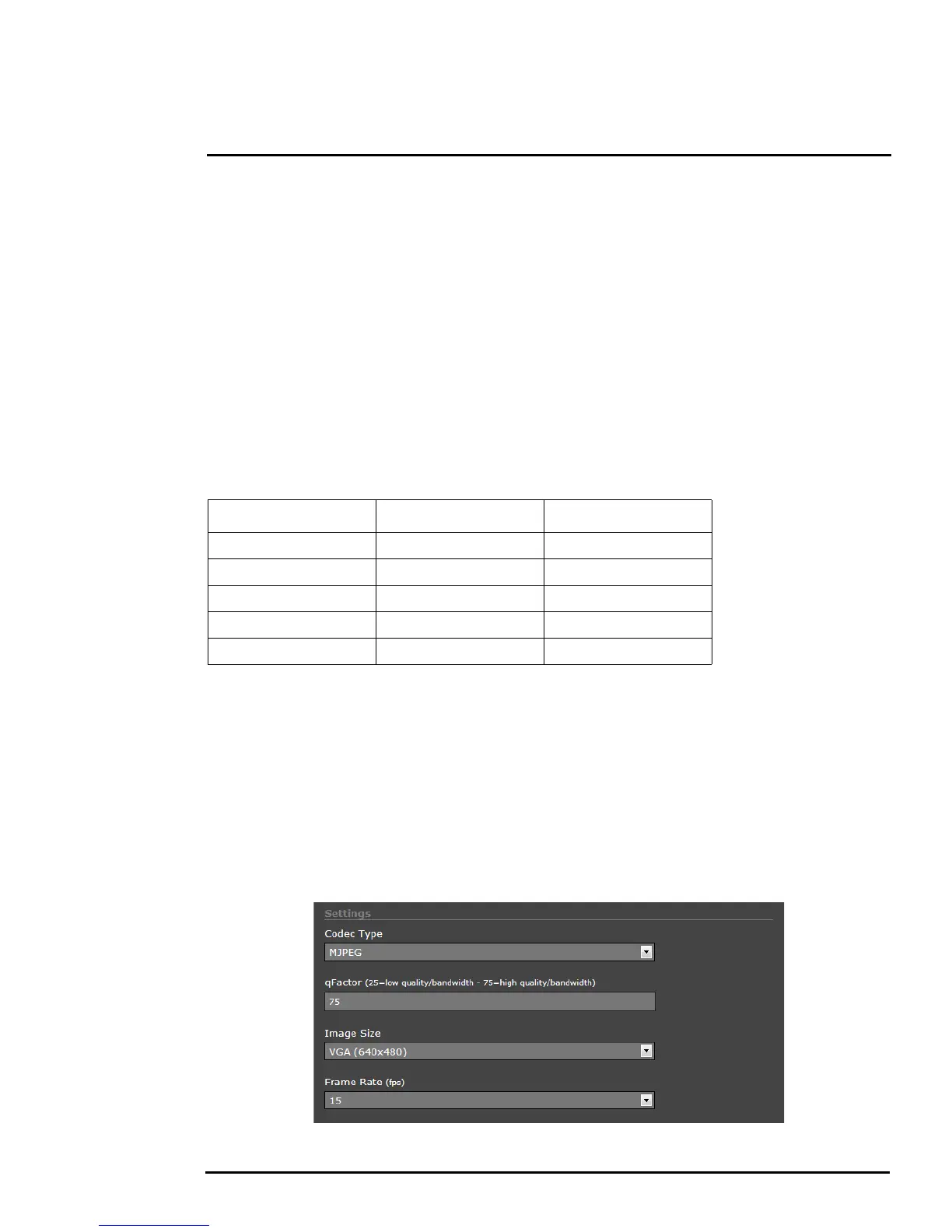
The video stream for the Live Video web page uses the MJPEG codec type. With this codec type, it
possible to change the qFactor, Image Size and Frame Rate parameters. The qFactor parameter
provides a relative balance of quality and bandwidth, similar to a percentage (25=low quality/
bandwidth - 75=high quality/bandwidth).
Ta b l e 3-3: Image Size Settings
Image Size NTSC PAL
D1 720x480 720x576
4SIF/4CIF 704x480 704x576
VGA/Native 640x480 640x512
SIF/CIF 352x240 352x288
QVGA/QNative 320x240 320x256



 To Next Page