427-0030-00-28 Version 110 Jun 2013 3-9
3
Advanced Configuration
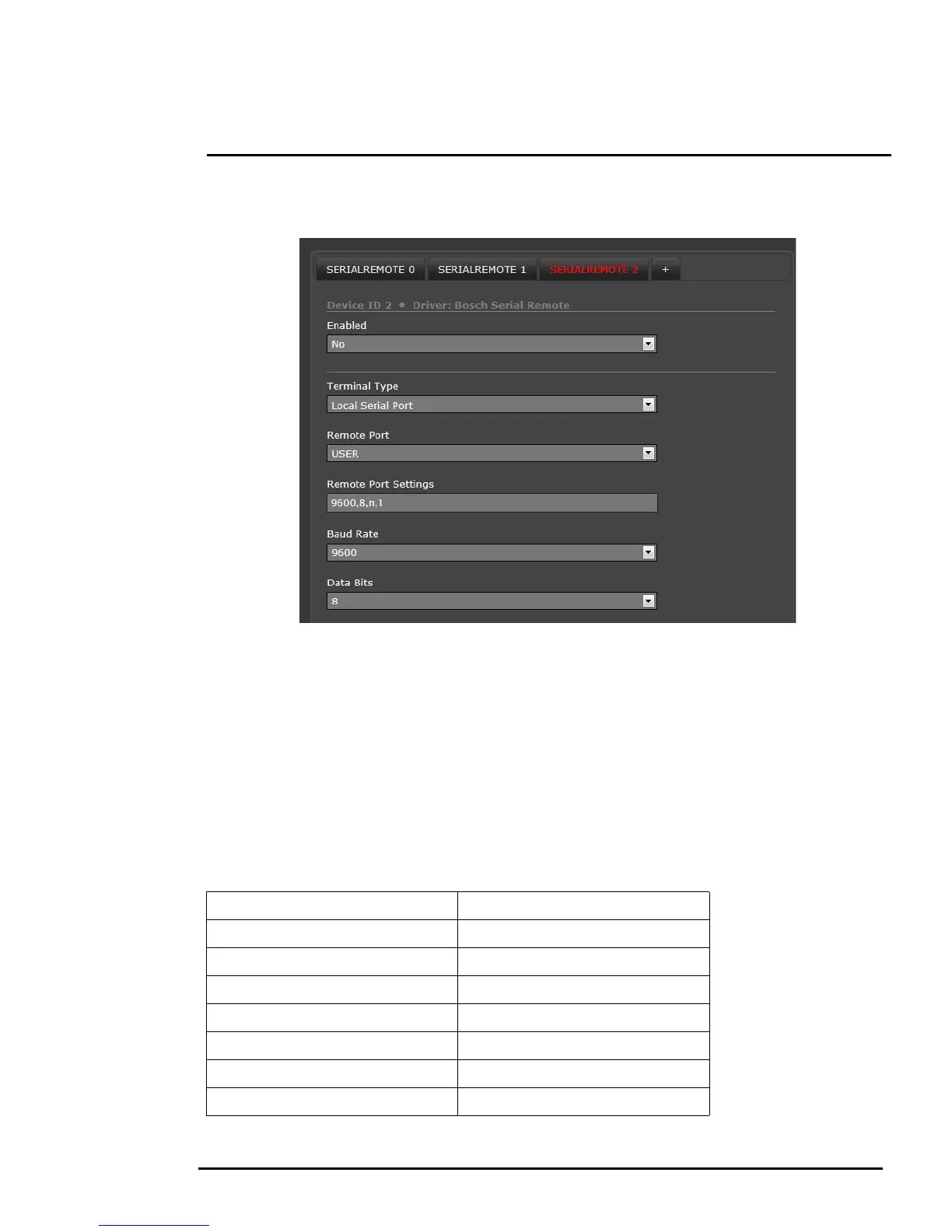
Bits. Select the appropriate Hardware Protocol (RS-422 or RS-232), and set the Address parameter
to the appropriate Bosch address. If necessary, click Save to save the changes.
Note
Typical Bosch systems operate over a biphase connection and the FLIR cameras do not accept
biphase signals directly. It may be necessary to install a biphase converter in order to use the Bosch
protocol.
3.5.1 AutoPan Function
In many cases with a pan/tilt camera, it may be desirable to use a simple back-and-forth (left-right)
scan pattern, rather than a Scan List set of presets. To use the AutoPan feature (also known as Auto
Scan), set the left and right pan limits and the pan speed, and then start the AutoPan mode. The
functions for setting up the AutoPan limits and for controlling the AutoPan function are available using
presets and are described in the following table..
Ta b l e 3-1: AutoPan functions
PRESET GOTO 90 GoToPanLimitLeft
PRESET GOTO 91 GoToPanLimitRight
PRESET GOTO 92 SetPanLimitLeft
PRESET GOTO 93 SetPanLimitRight
PRESET GOTO 94 IncrementAutoPanSpeed
PRESET GOTO 95 DecrementAutoPanSpeed
PRESET GOTO 96 StopAutoPan
PRESET GOTO 99 StartAutoPan



 To Next Page