427-0030-00-28 Version 110 Jun 2013 2-23
2
Basic Operation and Configuration
2.9 Setting the IP address on a Windows PC
To set the computer IP address in Windows, first connect the PC to a switch, or connect it to the
camera and ensure the camera has power.
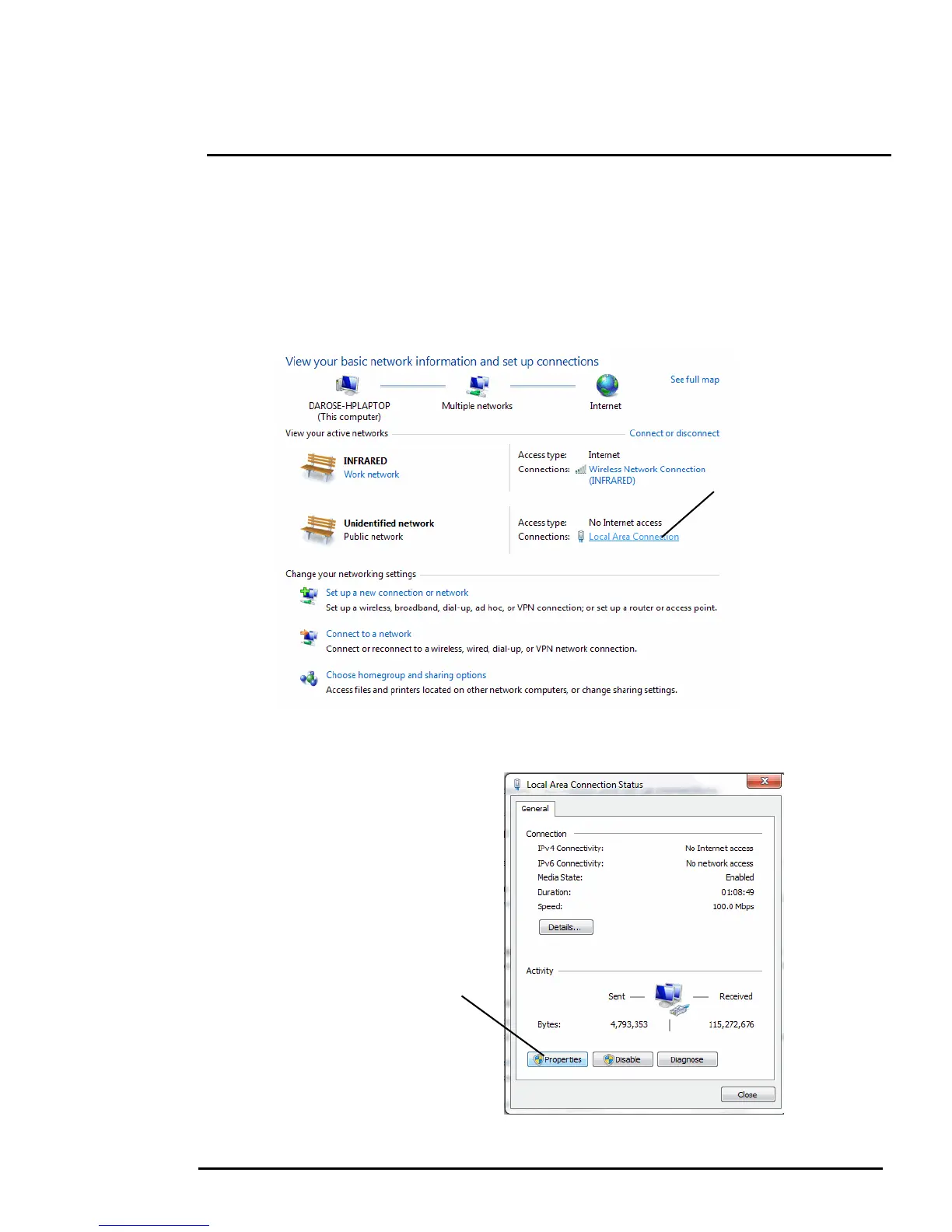
Step 1 With the PC or laptop connected to the switch (or if back-to-back with the camera, with the
camera powered on), open the Control Panel, Network and Sharing Center (a Windows 7
example is shown). The connection to the camera should show in your Active Networks.
Step 2 Click to select the Local Area Connection then click Properties, as shown at the right.



 To Next Page