2-24 427-0030-00-28 Version 110 Jun 2013
2
Basic Operation and Configuration
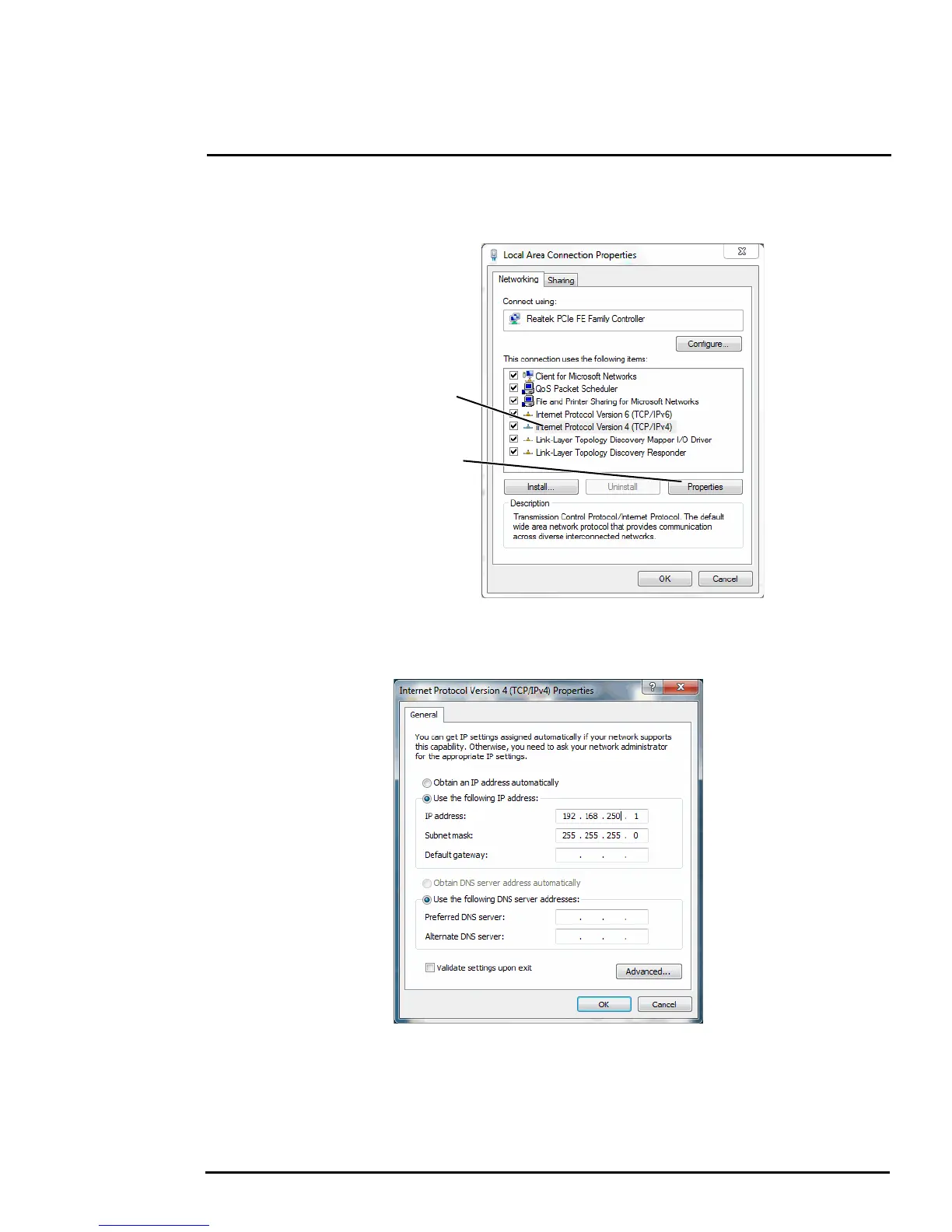
Step 3 Select Internet Protocol Version 4 (TCP/IPv4) as shown. Then click Properties.
Step 4 Select Use the following IP address, then enter 192.168.250.xxx, where xxx is any
number between 1-255, other than 116 (the camera default).
Step 5 Set the Subnet mask to 255.255.255.0, then click OK.
Click to select
Click Properties



 To Next Page