427-0030-00-28 Version 110 Jun 2013 3-7
3
Advanced Configuration
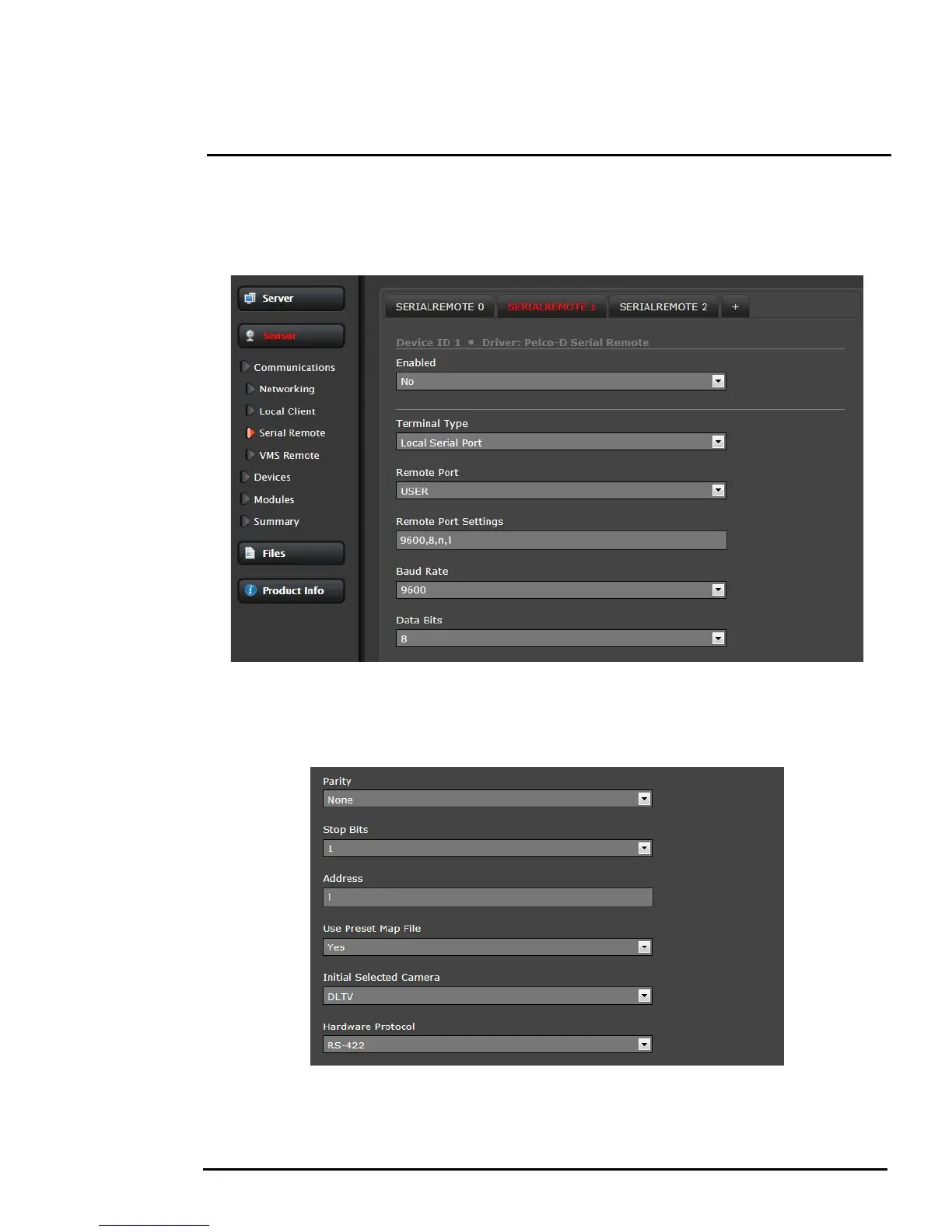
If the Pelco D protocol is to be used, select SerialRemote 1 and wait for the page to refresh, and then
configure the Remote Port Settings such as Speed (baud rate), Data Bits, Parity and Stop Bits. Set the
Address parameter to the appropriate Pelco address. It may be necessary to use the scroll bar on the
right side of the page to access the settings.
When Use Preset Map File is set to Yes (the default), then presets (and special functions known as
Aux commands) can be used to access certain settings that are specific to the FLIR thermal camera,
such as switching between White Hot and Black Hot settings. See
section 3.5.3 “Preset Map File” on
page 3-10 for information about the Preset Map File.
The Initial Selected Camera is used to designate which camera (IR or DLTV) in a multi-sensor camera
is selected as the initial Active camera. When a command such as “Zoom In” is sent to the camera, it
will affect the Active camera, regardless of which video stream is displayed.



 To Next Page