29 GB/IE
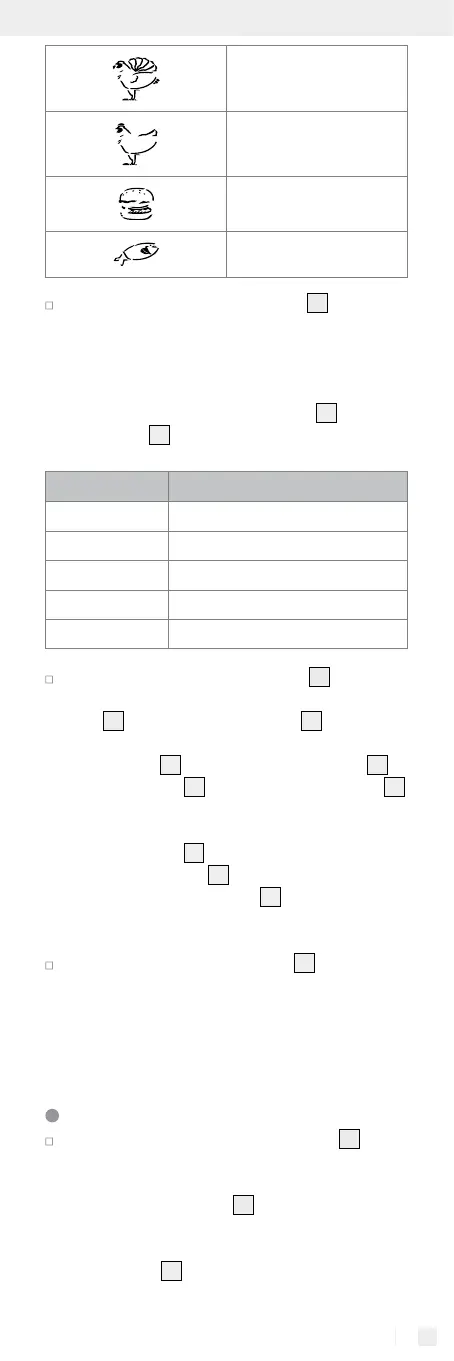
Turkey
Chicken
Hamburgers
Fish
Press the “Garstufe / Start“ button
3
to change
the degree of doneness. Each time you press the
button, you change the degree of doneness
se-
lected in the order depicted in the following table.
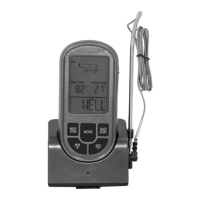
The current default temperature will now be dis-
played as the cooking temperature
25
on the
LC display
2
.
LC display Meaning
WELL Well-done
M WELL Medium well
MEDIUM Medium
M RARE Medium rare
RARE Rare
Press and hold the “Modus“ button
4
for roughly
3 seconds to manually set the cooking tempera-
ture
25
. The cooking temperature
25
will begin to
flash. You can now manually change the cooking
temperature
25
using the “Min / +“ button
6
or
“Sek / –“ button
5
. Press the “Modus“ button
4
to apply the selected setting.
Note: The maximum temperature for the tem-
perature sensor
14
is 300 °C / 572 °F. If the
temperature sensor
14
exceeds the maximum
temperature the LC display
2
flashes with a red
background light and displays “HI.“ An acoustic
warning signal will also sound.
Press the “Fleisch / Stop” button
7
to stop the
alarm and the temperature measurement.
Note: The meat must be fresh and in good con-
dition for lower core temperatures. Lower core
temperatures are insufficient for frozen or vacu-
um-packed meat.
Measuring the core temperature
Insert the tip of the temperature sensor
14
into
the thickest part of the food whose temperature
you want to measure. Ideally, you should insert
the temperature sensor
14
into the side of the
meat so that you can flip it over more easily. Avoid
contact with bones and do not insert the temper-
ature sensor
14
into fat as this can interfere with
the temperature measurement.


 To Next Page
 Loading...