MAINTENANCE INSTRUCTIONS
60
Connecting the room thermostat (Option)
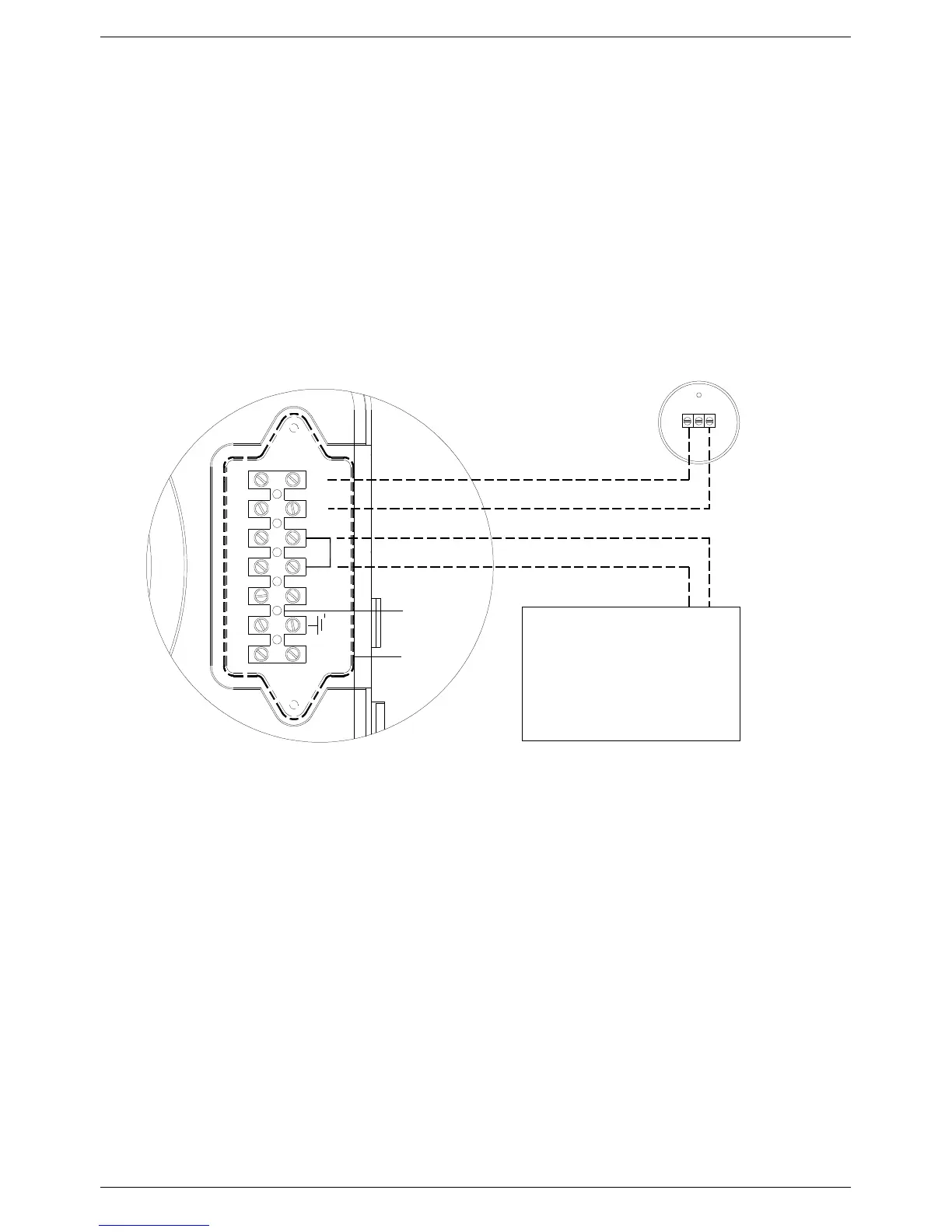
Connect the wires to the terminal board inside the instrument panel as follows:
(Example with WEEK digital weekly chronostat):
a. switch off the power supply at the main switch.
b. remove the front case panel of the water heater.
c. slacken the screws and remove plate A (see fig.1).
d. remove jumper TA -TA from the terminal board B;
e. connect the room thermostat/chronostat wires;
When the wires have been connected, place plate “A" back to position and then the front case panel.
Connecting the outside temperature sensor (Option)
Connect the wires to the terminal board inside the instrument panel as follows:
a. switch off the power supply at the main switch.
b. remove the front case panel of the water heater.
c. slacken the screws and remove plate A (see fig.1).
d. connect the outside temperature sensor on contacts marked as SE-SE on the terminal board B ;
When the wires have been connected, place plate “A" back to position and then the front case panel.
Ta
B
L N Ta Se Se
1
M12
A
CHRONOSTAT
Outside
temperature sensor
Fig. 1



 To Next Page