Logix™ 3800zb Digital Positioner FCD AIIOM001030_EN 02/23
flowserve.com 51
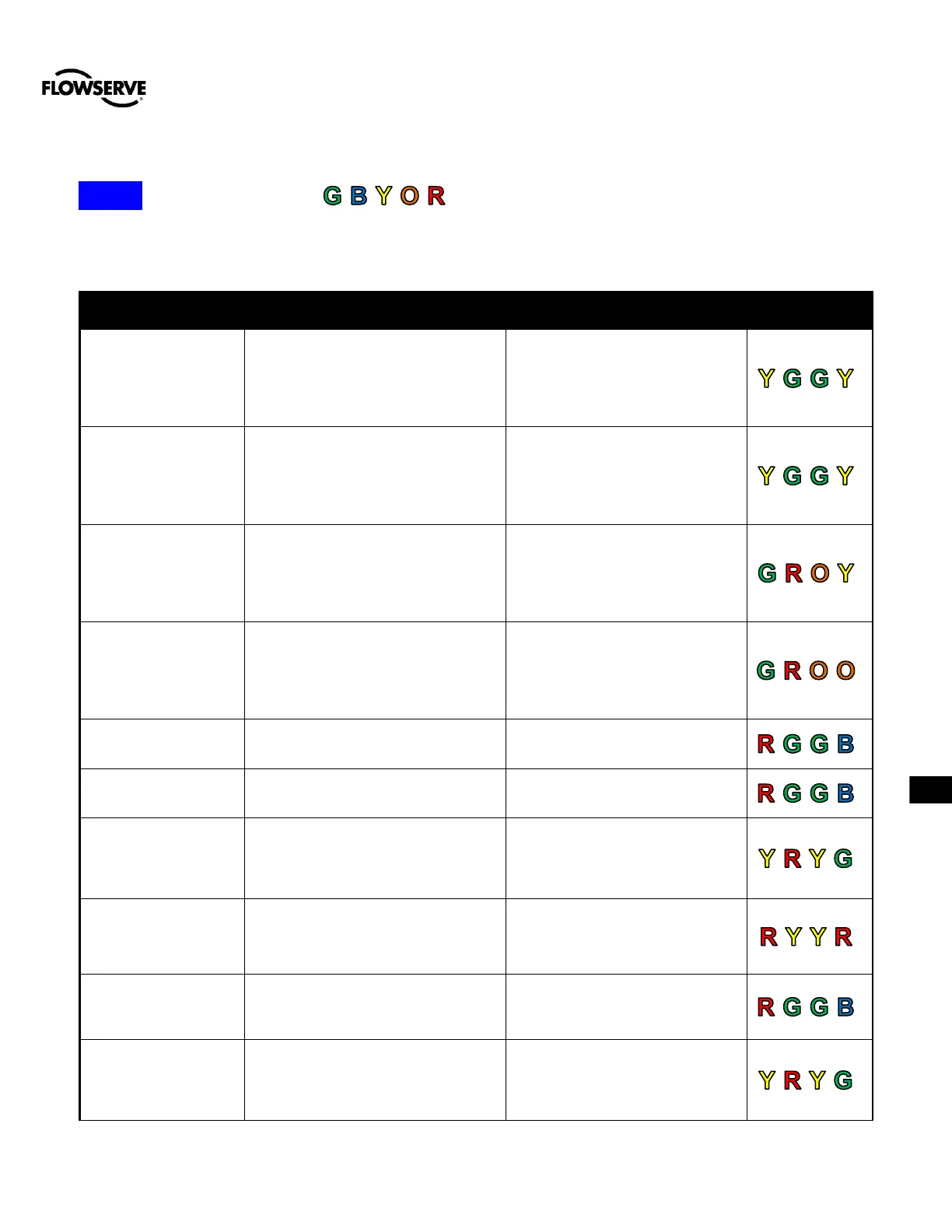
APPENDIX D – 4-BLINK STATUS CODES
NOTE:. The order of sorting is .
APPENDIX E – STATUS CODE DESCRIPTIONS
The actuator cycle limit has been
exceeded. Each cycle represents two
reversals of the direction of valve
movement. The cycle counting criterion
and count limit are set by the user to
track the usage of the valve.
Follow routine procedures for
maintenance when the limit is
reached such as checking the
actuator seals and lubrication. After
maintenance, reset the travel
accumulator.
The total accumulated actuator travel
limit has been exceeded. The travel is
accumulated in both directions. The
travel counting criterion and limit are
set by the user to track the usage of
the valve.
Follow routine procedures for
maintenance when the limit is
reached such as checking the
actuator seals and lubrication. After
maintenance, reset the travel
accumulator.
An Analog Input Calibration has been
started using the buttons (not LCD)
and the positioner is waiting for the
user to adjust the loop current to 0%
and press the QUICK-CAL button to
accept.
Complete the calibration.
An Analog Input Calibration has been
started using the buttons (not LCD)
and the positioner is waiting for the
user to adjust the loop current to 100%
and press the QUICK-CAL button to
accept.
Complete the calibration.
Analog Input Above
ADC Range
During Command Loop Calibration, the
100% signal was out of the Analog to
Digital Converter (ADC) range.
Replace the electronics assembly.
Analog Input Below
ADC Range
During Command Loop Calibration, the
0% signal was out of the Analog to
Digital Converter (ADC) range.
Replace the electronics assembly.
Analog Input
Calibration in Progress
The command input calibration
sequence is in progress.
The calibration can be canceled
from the Auxiliary Input Calibration
page of the DTM, from the
handheld, or by briefly pressing all
three buttons at once.
Analog Input No Loop
Power
The Auxiliary Input terminals have no
loop power. The positioner previously
detected power on the terminals.
Check terminal connection. Mask
the alarm if the circuit is not used.
Analog Input Range
Too Small
During an Analog Input loop
calibration, the difference between the
signal at 0% and the signal at 100%
was too small.
Recalibrate making sure to use a
larger difference between command
signal limits.
Analog Output
Calibration in Progress
The analog output calibration
sequence is in progress.
The calibration can be canceled
from the Analog Output Calibration
page of the DTM, from the
handheld, or by briefly pressing all
three buttons at once.


 To Next Page
 Loading...

